
Simulations
Practice before it counts.
Accelerate team proficiency by capturing complex workflows once and then deploying them as interactive demos, guided practice, and assessments, all in a safe environment that ensures mastery at scale.
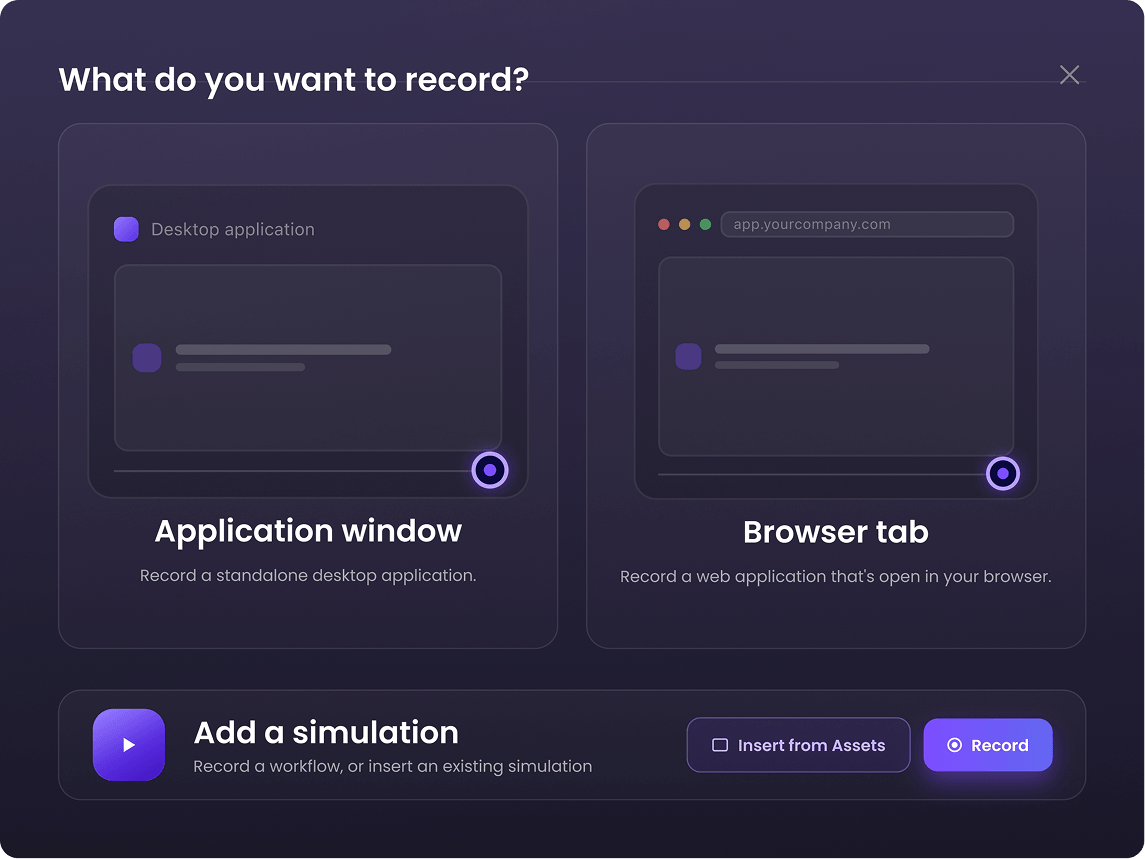
Browser and desktop capture
Capture it once, anywhere it happens.
Capture every web and desktop workflow, including legacy systems spanning multiple applications. The recorder logs each interaction with a screenshot, turning it into an editable simulated sequence, complete with AI-written titles and descriptions ready to refine and publish.
Three playback modes
You decide when the training wheels come off.
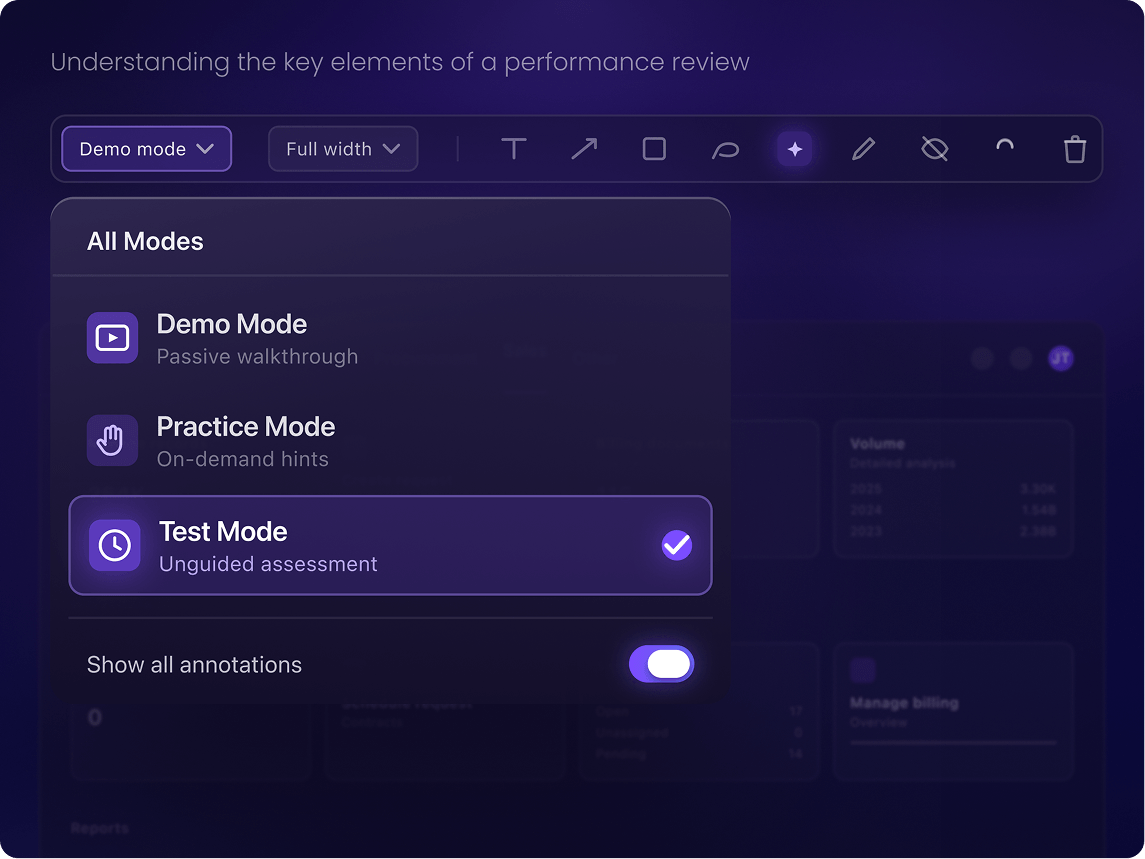
Meet learners where they are: Demo mode for a passive walkthrough; Practice mode with on-demand hints to build confidence; and Test mode to validate proficiency through unguided assessments. One recording powers all three, so you can match support to every learning stage.
Annotations
Point to exactly what matters.
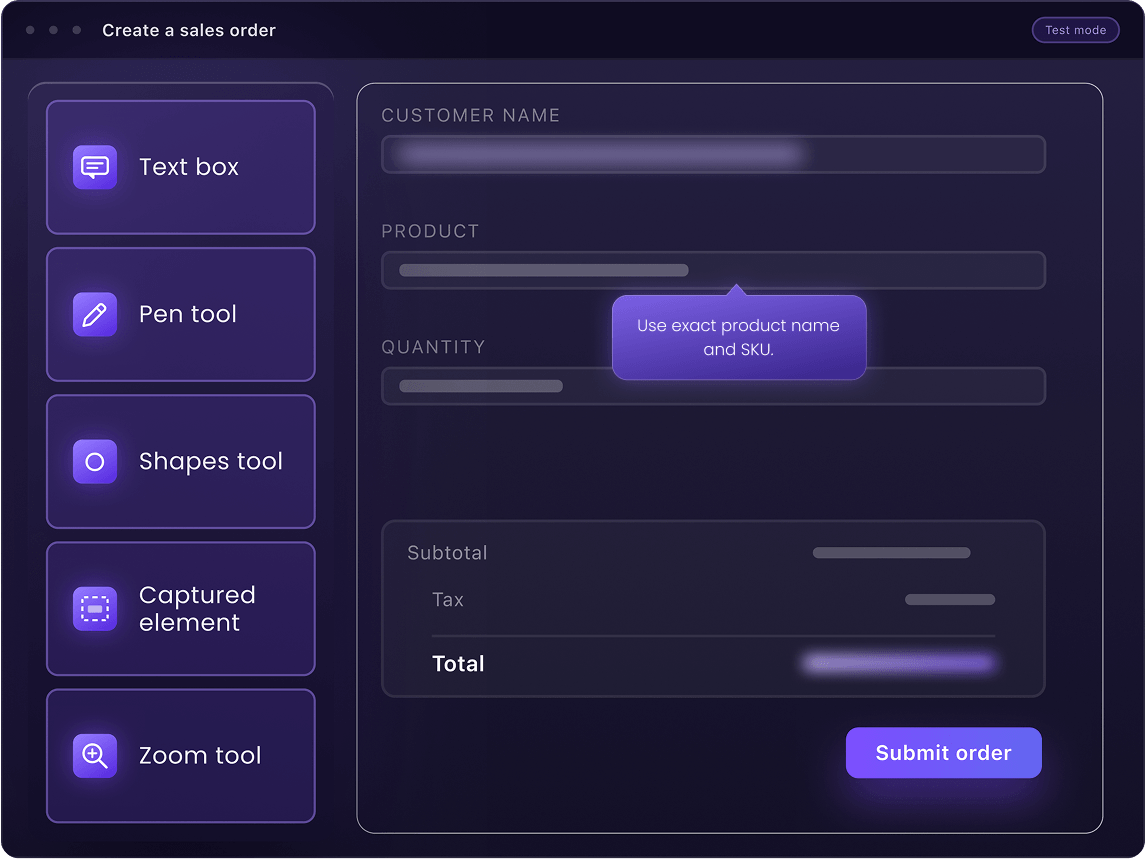
Use arrows, spotlights, and callouts to guide learners and prevent confusion. Blur confidential data to keep information safe. Easily reorder, hide, or duplicate steps, and update your process without re-recording.
Multiple export options
Export in your preferred format.
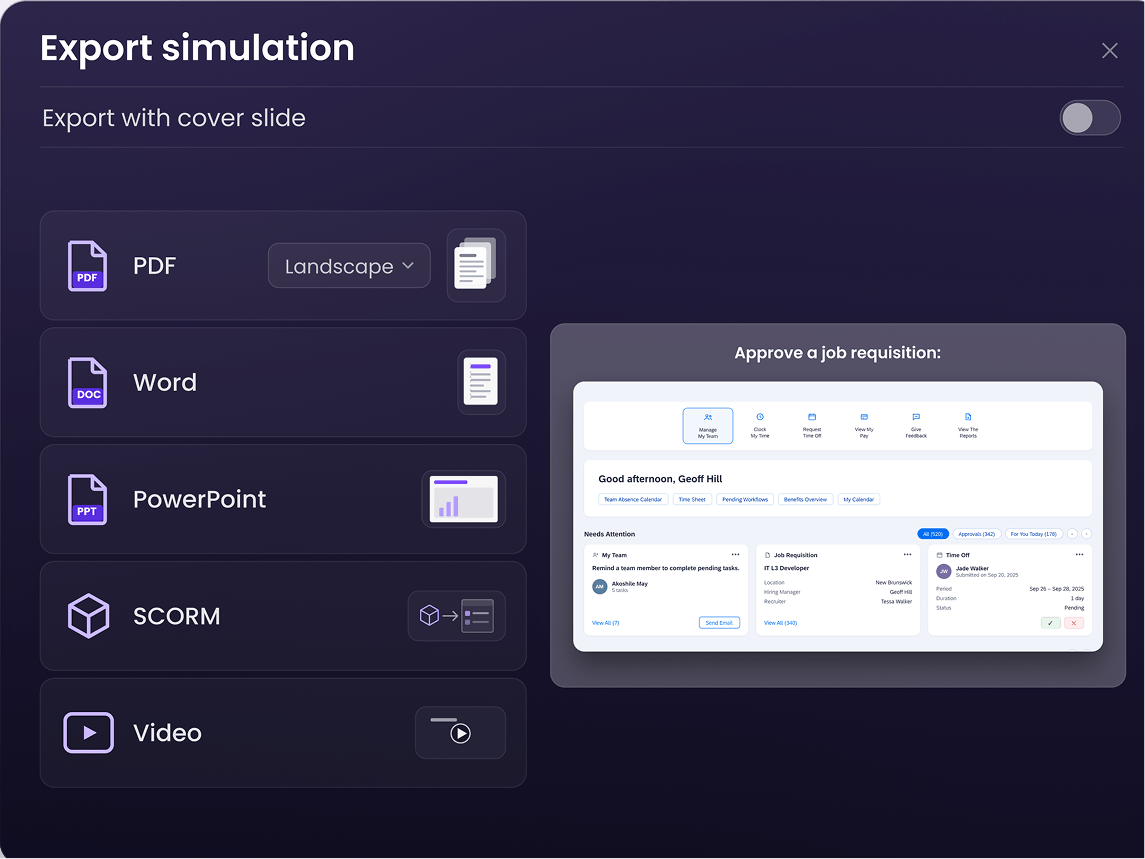
Share a simulation as a standalone link the moment it’s done, or export it to SCORM for your LMS, video for a deck, or PDF, Word, or PowerPoint for wherever your team keeps documentation. One recording. Whatever format the next system needs.
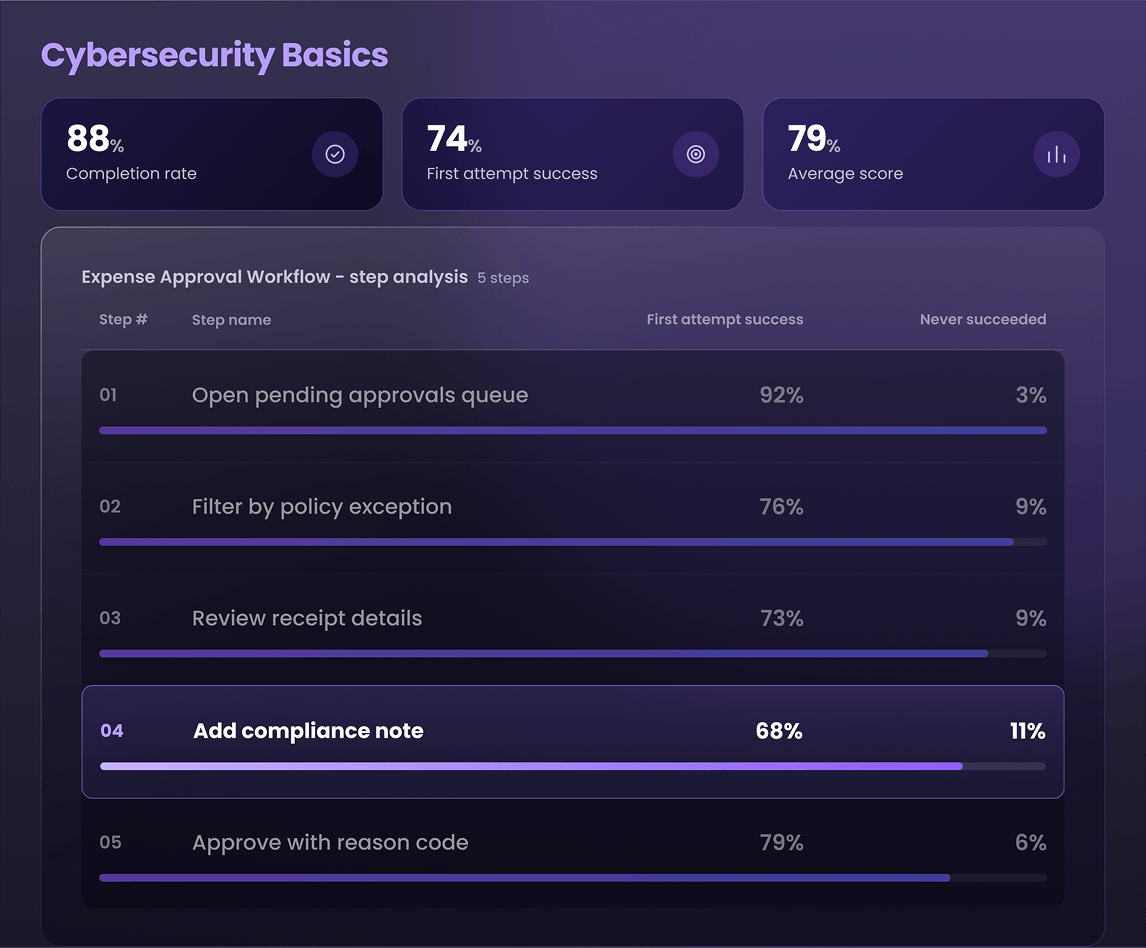
Simulation insights
See where the workflow breaks, not just who passed.
Track every interaction, including attempts, friction points, and completion rates. By pinpointing the exact workflow steps causing confusion, you can optimize training content iteratively, driving higher course completion and ensuring employees are truly prepared.
Common questions
Things people ask before they start
Build your next
course in minutes.
Upload your material and WalkMe Learning Arc builds a course that lives in the flow of work, at the moment your team needs it.