
15 Salesforce plugins and add-ons by use case (2026)

Salesforce plugins, also called Salesforce add-ons, are apps that extend what Salesforce does, and most are installed from AgentExchange, the Salesforce marketplace formerly called AppExchange. The right plugin depends on the job: logging email and meetings, routing leads, generating documents, cleaning data, or debugging code.
No single tool wins for everyone. Good starting points are Scratchpad for activity capture, Chili Piper for scheduling and routing, DocuSign for e-signature, Cloudingo for duplicates, and DLRS for admin roll-ups.
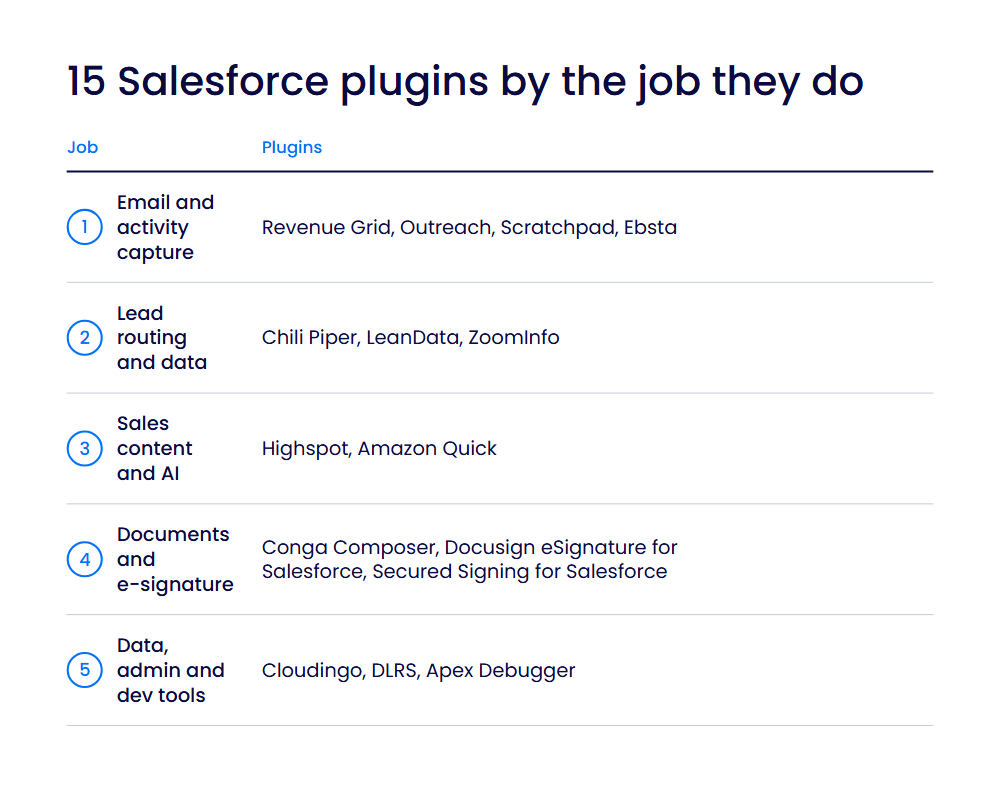
| Tool | Best for | Pricing |
| Revenue Grid | Inbox activity capture | From $30/user/mo |
| Outreach | Multichannel sales sequences | Custom quote |
| Scratchpad | Updating Salesforce from notes | Free plan; from $19/user/mo (annual) |
| Ebsta | Inbox capture and relationship insight | Custom quote; 14-day trial |
| Chili Piper | Meeting booking and lead routing | From $1,250/mo (annual) |
| LeanData | Lead-to-account matching and routing | Custom quote |
| ZoomInfo | Enriching records with company data | Custom quote |
| Highspot | Sales content inside Salesforce | Custom quote |
| Amazon Quick | AI actions on Salesforce records | Free plan; from $20/user/mo (annual) |
| Conga Composer | Documents from Salesforce data | Custom quote |
| Docusign eSignature for Salesforce | Sending and tracking agreements | From $30/user/mo; 30-day trial |
| Secured Signing for Salesforce | Low-cost e-signature in Salesforce | From $10/user/mo; free account |
| Cloudingo | Removing duplicate records | From $2,500/yr per org; 10-day trial |
| DLRS | Roll-ups on lookup relationships | Free |
| Apex Debugger | Debugging Apex code | Replay free; Interactive paid add-on |
This guide is for sales, revenue operations, and Salesforce admin teams choosing add-ons for their org. We grouped the tools by the job they do and described each one against the same fields. How we chose these tools explains the criteria and sources.
What counts as a Salesforce plugin?

“Salesforce plugin” can mean four different things, so it helps to know which one you need.
- AgentExchange apps. Partners build apps as managed packages and distribute them through AgentExchange, formerly AppExchange. Apps must pass a Salesforce security review to be listed there. Most tools in this list are this kind.
- Salesforce’s own add-ons. Salesforce sells paid add-ons for its products, such as Sales Dialer for click-to-dial and automatic logging.
- Developer plugins. Developers add tools to their own setup, such as the Salesforce Extensions for VS Code or Salesforce CLI plugins, which are groups of CLI commands.
- Browser extensions. These add Salesforce features to Chrome and your inbox. We cover them separately in our guide to Salesforce Chrome extensions.
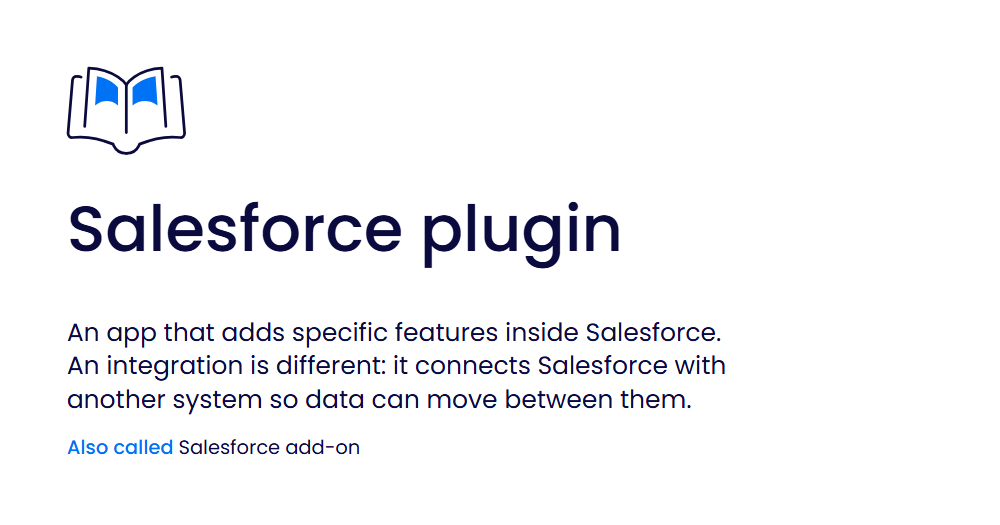
A plugin differs from an integration. An integration connects Salesforce with another system so data can move between them. A plugin adds specific features inside Salesforce.
Email, calendar, and activity capture
These tools log email and meetings to Salesforce and let reps update records from where they work.
1. Revenue Grid
Best for: Sales teams on Gmail or Microsoft 365 that want activity logged to Salesforce automatically.
What it is: Revenue Grid is an activity capture and revenue intelligence platform that logs sales activity to Salesforce. A Salesforce admin installs its managed package, and reps work from a sidebar in their inbox and calendar.
Key features:
- Automatic activity sync: captures sales data and syncs it to Salesforce, so reps log less by hand.
- Inbox sidebar: lets reps view and update Salesforce from Gmail or Outlook.
- Calendar sync: logs meetings automatically and keeps calendars in step with Salesforce.
- Activity reporting: reports on logged activity natively in Salesforce.
Limitations: It works only with Gmail and Microsoft Exchange or Microsoft 365 (Exchange Online) mailboxes. Setup requires a My Domain name for your Salesforce org. Some Salesforce editions, including Essentials tiers, aren’t supported.
Pricing: From $30 per user per month (Activity Capture 360); higher plans cost $49 and $149 per user per month. No free trial; demos on request (checked Oct 2026).
2. Outreach
Best for: Sales teams running multichannel sequences from a platform synced with Salesforce.
What it is: Outreach is a sales engagement platform that calls itself an agentic AI platform for revenue teams. It connects to Salesforce through a validated managed package on AgentExchange and an OAuth connection that syncs data between the two.
Key features:
- Regular record sync: pulls new Salesforce records and updates every 10 minutes by default, so reps work from current data.
- Core object coverage: syncs leads, contacts, accounts, opportunities and tasks.
- Admin-approved package: installs as a managed package that admins control.
Limitations: Tasks created only in Salesforce don’t sync back into Outreach. Salesforce Professional Edition needs the Web API package and purchased API call bundles.
Pricing: Custom quote, priced per user with no platform fees; no free trial shown (checked Oct 2026).
3. Scratchpad
Best for: Reps who update Salesforce from notes, sheets, and pipeline views.
What it is: Scratchpad is an AI workspace for sales teams that sits on top of Salesforce. It runs as a web app and Chrome extension and connects to your Salesforce org through the API.
Key features:
- Sales sheets: spreadsheet-style views with a real-time Salesforce connection, so reps can update pipeline quickly.
- Notes to records: notes save automatically to the related Salesforce records.
- AI field updates: fills Salesforce fields from customer interactions.
- Inherited permissions: follows your Salesforce configuration, permissions and settings.
Limitations: Your Salesforce org needs API access enabled, so some editions aren’t supported. Salesforce is the only CRM it works with. The free plan is limited to three views.
Pricing: Free plan; paid plans from $19 per user per month billed yearly, or $24 billed monthly (checked Oct 2026).
4. Ebsta
Best for: Teams that want inbox capture plus relationship and pipeline insight.
What it is: Ebsta connects your mailbox, calendar, and call recorder with Salesforce and adds revenue intelligence on top. Fullcast acquired Ebsta in August 2025, and the product is still active.
Key features:
- Email and calendar sync: logs emails and calendar events to Salesforce automatically.
- Two-way calendar sync: keeps Google and Salesforce calendars up to date.
- Inbox access: a Chrome extension for Gmail and a plugin for Outlook let reps view and edit Salesforce records.
- Relationship scoring and forecasting: scores customer relationships and supports deal, pipeline and forecast reviews.
Limitations: Ebsta supports Salesforce Professional, Enterprise, Performance, and Unlimited editions. The full feature set needs at least Enterprise Edition with the Bulk API enabled.
Pricing: Custom quote; 14-day free trial of the Conversation, Relationship and Revenue Intelligence plans (checked Oct 2026).
Lead routing, scheduling, and prospecting data
These tools get the right leads to the right reps and fill Salesforce records with data.
5. Chili Piper
Best for: Inbound teams that book and route meetings from Salesforce.
What it is: Chili Piper is a meeting scheduling and lead routing tool that works between Google or Microsoft 365 calendars and Salesforce through API access. Optional Salesforce packages add custom fields, reports, and a dashboard.
Key features:
- Field-based routing: routes leads on any standard or custom Salesforce field.
- Booking from records: a native button schedules meetings from lead and contact records.
- Meeting logging: records events, reschedules, and no-shows in Salesforce with timestamps.
- Lead-to-account matching: offers fuzzy matching and routing for any standard or custom object.
Limitations: The Salesforce package install fails if Chili Piper’s custom fields already exist in your org. The integration user needs at least read and write access to all fields. The Distro routing package is available on request only.
Pricing: Routing & Scheduling starts at $1,250 per month for up to 15 seats, then $45 per seat per month. Plans are billed annually, with no monthly billing (checked Oct 2026).
6. LeanData
Best for: Revenue operations teams that match leads to accounts and route them in Salesforce.
What it is: LeanData is a lead matching and routing platform that runs as a managed package inside your Salesforce org. It automates how leads reach the right account owners, account teams, or rep pools.
Key features:
- Fuzzy matching: connects leads to the right account with AI-enhanced matching.
- Routing: sends leads to account owners, account teams, or round-robin pools of reps.
- BookIt scheduling: gets buyers booked with reps quickly.
- Any-object routing: routes and matches any standard or custom object on the Premium plan.
Limitations: Matching doesn’t use free email domains such as Gmail and Hotmail. Routing for any object is Premium only, and Journeys is a paid add-on to Premium.
Pricing: Custom quote, based on features, objects, and the number of Salesforce users or queues; no free trial found (checked Oct 2026).
7. ZoomInfo
Best for: Teams that want Salesforce leads, contacts, and accounts enriched with company data.
What it is: ZoomInfo provides B2B company and contact data, and its native app installs in Salesforce as a managed package from AgentExchange. Users see ZoomInfo data inline on lead, contact, and account records.
Key features:
- Inline data: shows ZoomInfo data when you view Salesforce records.
- Instant Enrich: adds ZoomInfo data to new leads, contacts, and accounts as they’re created.
- Bi-directional sync: keeps sales and marketing data consistent.
- Embedded interface: lets reps search ZoomInfo and update the CRM from one page.
Limitations: Enrich is a ZoomInfo Sales feature, and Enrich admins need full admin rights in Salesforce. Running Enrich in a sandbox still uses bulk credits.
Pricing: Custom quote, based on features, the number of licenses, and credit usage. A free trial is available(checked Oct 2026).
Sales content and AI assistants
These tools bring content, training and AI help into Salesforce. For a wider view of the category, see our guide to sales enablement tools.
8. Highspot
Best for: Sales teams that want content, plays and training inside Salesforce.
What it is: Highspot is a sales enablement platform, now part of Seismic. It integrates with Sales Cloud, Service Cloud, Agentforce, Sales Programs, Salesforce Communities, Slack, and Quip.
Key features:
- Content in Sales Cloud: delivers recommended content, guidance, and training directly in Sales Cloud.
- Engagement data: maps content views, downloads, and Digital Sales Room activity to Salesforce records.
- Sales Programs: embeds curated content and training in Salesforce Sales Programs.
- Analytics in Salesforce: shows enablement analytics in Sales Cloud.
Limitations: You need a Highspot plan to use its Salesforce packages. Prices aren’t published.
Pricing: Custom quote across three tiers; no free trial found (checked Oct 2026).
9. Amazon Quick
Best for: Teams that want an AI assistant to query and update Salesforce records.
What it is: Amazon Quick is an AI assistant for work from AWS, described as the next evolution of Amazon Q Business. Its Salesforce connector performs actions in Salesforce orgs, such as managing records and querying data. Amazon Q Business is no longer available to new customers.
Key features:
- Record actions: queries, creates, and updates Salesforce records.
- User administration: creates, deactivates, and freezes users, and assigns permission sets.
- Reporting datasets: QuickSight builds datasets from Salesforce reports or objects for dashboards.
- Managed sign-in: an Amazon Quick package from AgentExchange supports managed OAuth.
Limitations: The Salesforce connector runs actions only; it can’t use Salesforce data as a knowledge base. Setup needs Salesforce System Administrator access and the Amazon Quick Author role or higher. QuickSight datasets don’t support joined Salesforce reports.
Pricing: Free plan; Plus costs $20 per user per month billed annually, or $25 monthly. Professional costs $20 per user per month plus a $250 infrastructure fee per account. New customers can try Enterprise free for 30 days (checked Oct 2026).
Documents and e-signature
These tools create documents from Salesforce data and collect signatures without leaving Salesforce.
10. Conga Composer
Best for: Teams that generate quotes, contracts, and reports from Salesforce data.
What it is: Conga Composer generates documents and reports for Salesforce, and you install it from AgentExchange. It fills richly formatted templates with data from any standard or custom Salesforce object.
Key features:
- Several output formats: creates DOCX, XLSX, PPTX, PDF, or HTML documents.
- Flexible storage: saves to Salesforce, Google Drive, Microsoft OneDrive, Box, Amazon S3, Dropbox, SharePoint, or SFTP.
- Conditional logic: changes template content based on the data.
- Any object: pulls data from standard and custom objects.
Limitations: Installing it needs Salesforce System Administrator credentials. The AgentExchange listing names Professional, Enterprise, Unlimited, Force.com, Developer, and Performance editions as compatible. Prices aren’t published.
Pricing: Custom quote (checked Oct 2026).
11. DocuSign eSignature for Salesforce
Best for: Teams that send and track agreements from Salesforce opportunities and accounts.
What it is: DocuSign eSignature for Salesforce lets users send, sign, track, and save agreements in Salesforce. It installs from AgentExchange and stores signed agreements on the original record.
Key features:
- Send from Salesforce: generates and sends agreements directly from Salesforce.
- Data mapping: reads and writes data between Salesforce objects and agreement data.
- Status tracking: tracks status and triggers actions at the opportunity or account level.
- Compliance: DocuSign states that eSignature meets ISO 27001, HIPAA, 21 CFR Part 11, Sarbanes-Oxley and FedRAMP standards.
Limitations: You need a paid DocuSign plan to use the integration. The Standard plan allows 100 envelopes per user per year.
Pricing: From $30 per user per month on the AgentExchange listing; 30-day free trial (checked Oct 2026).
12. Secured Signing for Salesforce
Best for: Teams that want a low-cost e-signature app inside Salesforce.
What it is: Secured Signing offers Electronic Digital Signature for Salesforce, an AgentExchange app for creating, sending, signing, and tracking documents within Salesforce. Signed documents and audit trails are stored in Salesforce automatically.
Key features:
- Signing in Salesforce: create, send, sign, and track documents without leaving Salesforce.
- Two-way data flow: moves data to and from Salesforce, which reduces manual data entry.
- Automatic storage: saves signed and sealed documents and audit trails to Salesforce.
- ISO 27001: Secured Signing is ISO/IEC 27001 certified.
Limitations: The AgentExchange listing was last updated in February 2023. It names no supported Salesforce editions, only Classic and Lightning compatibility. Secured Signing’s own site gives no Salesforce price.
Pricing: From $10 per user per month on the AgentExchange listing; free account available (checked Oct 2026).
Data quality, admin and developer tools
These tools help admins keep Salesforce data clean and help developers fix code.
13. Cloudingo
Best for: Salesforce admins who clean up duplicates without code.
What it is: Cloudingo finds, merges, and prevents duplicate records in Salesforce with no-code tools for admins. It runs as a cloud service with a managed package installed in Salesforce, and it doesn’t cache your record data.
Key features:
- Filter-based detection: finds duplicates with user-defined filters.
- Merging options: merges records manually, in bulk, or automatically, in real time or on a schedule.
- Import matching: compares uploaded files with existing Salesforce or Marketo records.
- Address validation: standardizes and appends U.S. mailing addresses.
Limitations: Address validation covers U.S. addresses only. Cloudingo is sold only as a yearly subscription. Orgs with more than 300,000 records pay $100 for every additional 100,000 records.
Pricing: From $2,500 per year per Salesforce org (Standard), billed annually and not tied to user numbers; 10-day free trial (checked Oct 2026).
14. DLRS
Best for: Admins who need roll-up summaries on lookup relationships without code.
What it is: Declarative Lookup Rollup Summaries (DLRS) is a free, community-maintained open-source app that rolls up data across lookup relationships. Salesforce Labs lists it on AgentExchange, but it isn’t a Salesforce-owned product.
Key features:
- Lookup roll-ups: summarizes child records on lookup relationships, which otherwise needs Apex triggers.
- Run modes: runs roll-ups in real time, on a schedule, or through a developer API.
- Standard and custom lookups: supports both kinds of relationships.
- Current parent records: keeps parent records up to date with totals and summaries.
Limitations: Each roll-up can summarize at most 50,000 child records. Real-time mode can slow Salesforce performance. Generated test classes may be too simple for code coverage, so a developer may need to help.
Pricing: Free plan only: the app is free and never requires payment (checked Oct 2026).
15. Apex Debugger
Best for: Developers finding and fixing bugs in Apex code.
What it is: The Apex debuggers are part of Salesforce Extensions for VS Code. The Apex Replay Debugger replays code execution from debug logs. The Interactive Debugger lets you pause and inspect Apex code in sandboxes and scratch orgs in real time.
Key features:
- Replay Debugger: replays Apex execution from debug logs and works with all unmanaged code in all orgs.
- Interactive Debugger: pauses execution in real time, with VS Code as the client.
- Two threads: debugs up to two threads at a time.
Limitations: The Interactive Debugger can’t set conditional breakpoints and isn’t available in Trial or Developer Edition orgs. The Replay Debugger replays one debug log at a time, and its checkpoints expire after 30 minutes.
Pricing: Free plan for the Replay Debugger. The Interactive Debugger costs $1,500 per org per month, billed annually, as a Salesforce add-on for Enterprise Edition orgs; Performance and Unlimited Edition orgs get one free license (checked Oct 2026).
How can you choose the right Salesforce plugins for your organization?
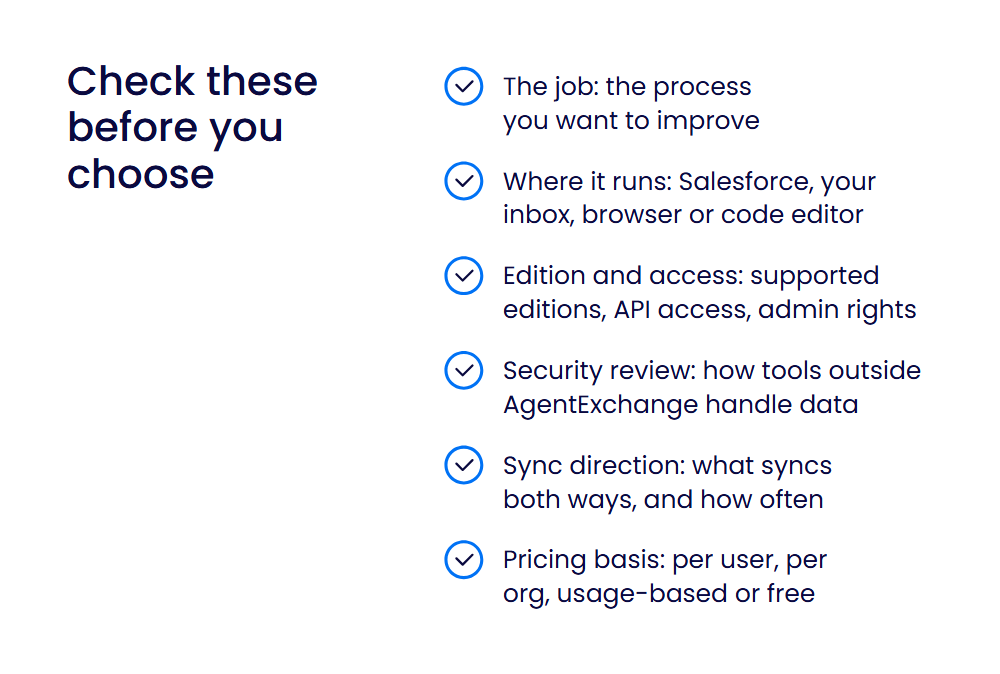
Start with the job you need done, then check how each tool fits your org.
- The job: name the process you want to improve, such as email logging, lead routing, documents, or data quality.
- Where it runs: some tools work inside Salesforce, others in your inbox, browser, or code editor. Pick the one that fits where your team works.
- Edition and access: check the Salesforce editions each tool supports and whether it needs API access, admin rights, or extra licenses.
- Security review: AgentExchange apps have passed a Salesforce security review. Confirm how any other tool handles your data.
- Sync direction: check which data syncs both ways and how often.
- Pricing basis: compare like with like. Prices here are per user, per org, usage-based, or free.
For the best Salesforce automation add-ons for sales teams, look first at the email capture and routing groups above. If you need to log activity from Gmail-first teams, compare Revenue Grid, Scratchpad and Ebsta. For document generation, compare Conga Composer with your e-signature choice.
If you use Salesforce CPQ, note that Salesforce has stopped selling new CPQ licenses to new customers and names Revenue Cloud Advanced as its successor. Our guide to CPQ tools for Salesforce covers that area in more detail.
How we chose these tools
We chose tools that meet all of these criteria:
- They work inside Salesforce or sync with it through a documented integration, such as an AgentExchange listing or vendor documentation.
- They do a clear job for sales, revenue operations, or admin teams.
- They are actively maintained products with current documentation.
- They publish a pricing model, even if it’s a custom quote.
Every feature, limitation, and price comes from the vendor’s own product, pricing, documentation, or AgentExchange pages, checked in October 2026. Salesforce terms come from Salesforce’s own sites. Tools are grouped by use, and the order within each group doesn’t rank them. We didn’t run hands-on tests.
Help your team adopt Salesforce and its plugins
Plugins only pay off when people use them. A rollout plan, in-tool help, and a way to see where people get stuck all make a difference.
WalkMe adds in-app guidance on top of the applications your teams already use. Its tooltips, walkthroughs, and automations appear when people need help, and its guidance works across web, desktop, and mobile applications, including Salesforce. If you’re rolling out new Salesforce plugins, see how WalkMe’s in-app guidance works.
FAQs
Salesforce’s own option is the Outlook Integration. It lets users view and work with Salesforce records in Microsoft Outlook, log emails and events to Salesforce and create new records without switching applications. Outlook Integration with Inbox adds features such as email tracking and calendar sync, with an Inbox or High Velocity Sales license. Revenue Grid and Ebsta also offer Outlook add-ins.
Common integrations connect Salesforce with email and calendars, such as Salesforce’s own Outlook Integration and Gmail Integration, which log emails back to Salesforce. Others connect it with data providers, scheduling tools, and e-signature services. An integration moves data between Salesforce and another system, while a plugin adds features inside Salesforce. Our guide to Salesforce integrations covers more examples.
Start with Flow Builder, which is built into Salesforce. Salesforce says it lets you build simple or complex automations, forms, and guided experiences with no code. Add a plugin when you need automation Flow doesn’t cover, such as lead routing with Chili Piper or LeanData, activity capture with Revenue Grid, or document generation with Conga Composer. The best choice depends on the process you want to automate.
Salesforce gives examples such as creating follow-up tasks, sending reminder emails, and updating records, all of which Flow Builder can do without code. Plugins add more. LeanData routes new leads to the right account owners, Revenue Grid logs emails and meetings automatically, and Cloudingo merges duplicate records on a schedule. Each one removes a manual step from a common sales or admin task.
Scratchpad is built for this. It’s a web app and Chrome extension that connects to Salesforce through the API, saves notes to the related records, and updates pipeline from spreadsheet-style views. It follows your Salesforce permissions and settings. Your org needs API access enabled, and the free plan is limited to three views. Revenue Grid and Ebsta are alternatives if you mainly work from your inbox.
Start with Salesforce’s own Gmail Integration, which lets reps view Salesforce data in Gmail, create records, and log emails back to Salesforce. If you need automatic capture or more sales features, compare the tools in our email and activity group. Revenue Grid, Ebsta, and Scratchpad all work with Gmail. Check which Salesforce editions each tool supports before you choose.