Q4 ’26 Product Release: guidance that keeps up with change.

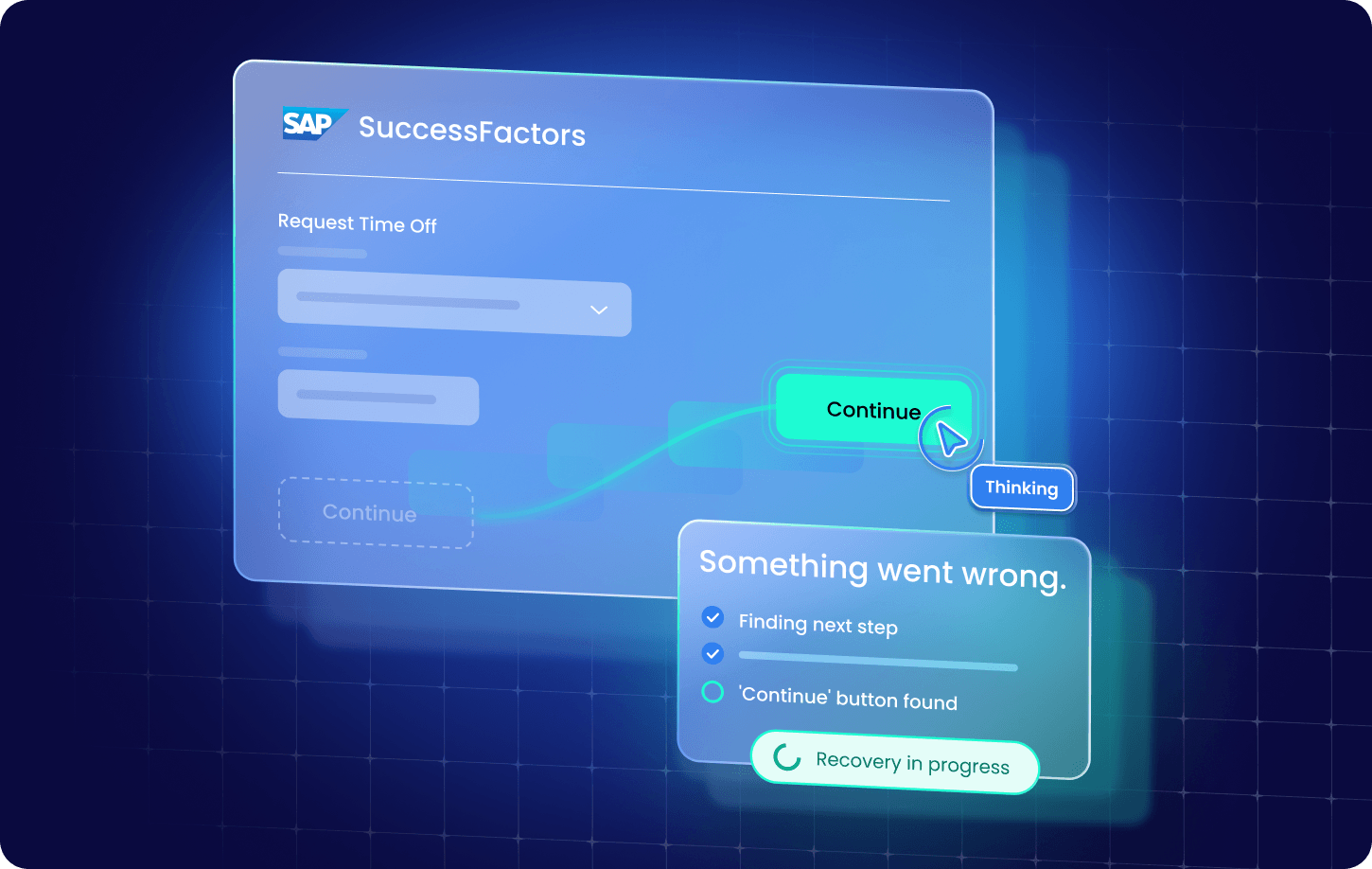
An app update renames the Submit button on Friday night. On Monday morning, the Smart Walk-Thru your team relies on to file expense reports finds the button anyway and keeps going. Nobody notices. That’s the point.
Enterprise software never holds still. Releases ship, layouts shift, languages change. To keep work moving through every change, teams need guidance that keeps up.
Self-healing is just the start. Here are the Q4 ’26 highlights. Smart Walk-Thrus now adapt when an app changes, and AI assistance now reaches beyond the browser, into the desktop apps where so much work still happens. Builders can author SmartTips from a single prompt. SmartTips sit on a field, explain what to enter and check the entry before the user moves on.
Smart Highlights, which show the details behind terms, customer names and acronyms on screen, now pull live data from Microsoft Dynamics 365 and CSV files. Digital Experience Analytics (DXA), which tracks how employees use their apps, now shows where users struggle in SAP GUI.
And in WalkMe Learning Arc, learning teams see exactly which quiz questions and simulation steps trip learners up, and authors can publish AI-built courses to SAP SuccessFactors Learning in one step.
That’s the thread connecting everything in our Q4 ’26 product release. Guidance that keeps up with change, reaches beyond the browser, and shows it’s working.
Smart Walk-Thrus that keep themselves on track
Self-healing for Smart Walk-Thrus
Remember that Submit button? Self-Healing for Smart Walk-Thrus handles it in real time. When an element is renamed, moved, translated or loads on scroll, AI finds it on the same page and the Smart Walk-Thru keeps going. Employees finish the task. Nobody files a ticket.
Apps often change. Now your guidance adapts.
Builders stay in the loop, too. Healed steps show up in Builder Assistant, with a direct link to the step that needs a permanent fix, and in Flow Tracker, Insights and AI Insights, so maintenance becomes a quick review instead of a hunt.
Self-healing is opt-in for web Smart Walk-Thrus. Admins turn it on at the account and system level, then builders choose which Smart Walk-Thrus use it.
See how Self-healing for Smart Walk-Thrus works.
AI assistance wherever work happens
Action Bar for Desktop, Smart Highlights, AI SmartTips, and AI Conditions
Action Bar for Desktop
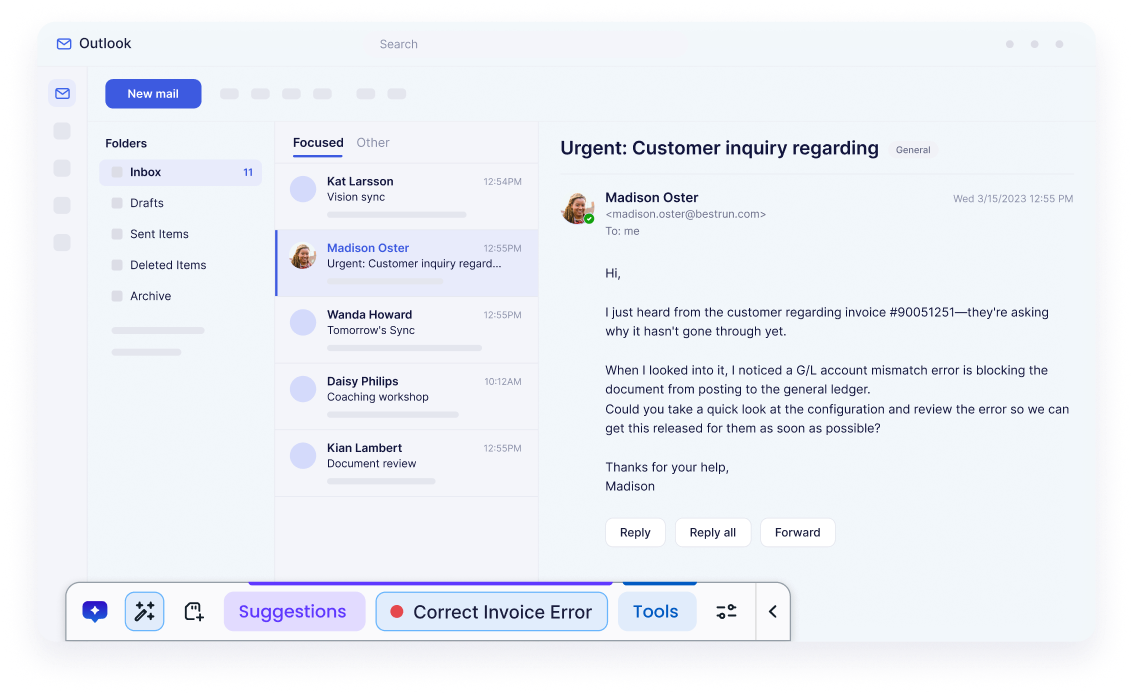
Employees don’t do all their work in a browser. In Q4, the Action Bar comes to more than 12 desktop apps, including SAP GUI, Outlook, Excel and Teams. Employees get writing help, summaries, contextual actions and automations without switching applications. Say a customer escalation lands in Outlook. The employee opens the Action Bar, summarizes the long thread and drafts a reply without leaving the inbox. After the follow-up call in Teams, they turn the chat into a list of next steps and owners.
Admins configure the experience in the WalkMe Console, choose between AI and non-AI modes, and control which user groups get AI access first. Builders can highlight key launchers with a badge or glow, and users can bring what’s on one page into a prompt on another.
Smart Highlights put the context employees need right where they’re working. Every time someone stops to look up an acronym or check a customer’s details in another tab, they lose their place in the task. Instead, the details appear right where the term does, pulled live from your systems. Now they reach further.
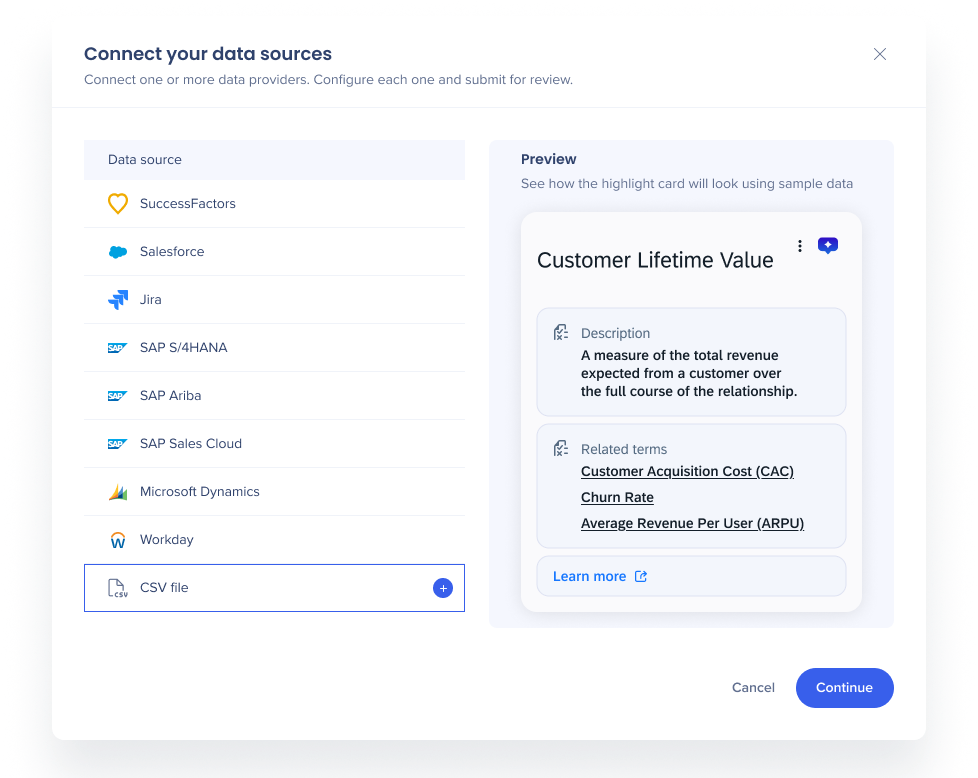
Microsoft Dynamics 365 join Salesforce, SuccessFactors, S/4HANA, Jira and SAP Ariba as live data sources, and a new CSV upload covers what no system of record holds, like internal glossaries and acronyms. For example, a sales rep sees an account’s open opportunities from Dynamics 365 when the customer’s name appears on screen, and a new hire sees what “PO” means from your team’s glossary CSV. Theming and custom CSS make every highlight look like it belongs in the app it appears in.
The best help doesn’t care which app you’re in. It’s already there.
AI SmartTips help employees catch errors as they fill out forms, before those errors turn into rework. They provide in-app guidance and validate information entered on the page. With this release, validation goes beyond individual fields to check information against other fields and table rows, while messages appear automatically rather than waiting for a hover. For example, if a delivery date on a procurement form falls after the contract end date, the employee sees the conflict before the request goes for approval, rather than having it sent back.
Know what a rule will do before it goes live. With AI Conditions, builders decide when guidance appears by describing it in plain language, like “show this tip only when the request type is Travel and the amount is over $5,000.” A simulator tests the condition before publishing, so builders know it works.
Built for builders and admins
AI Insights, AI Authoring, DXA for SAP GUI, and Admin controls
Ask a broad question and get a focused answer. When a request is open-ended, AI Insights now asks a clarifying question first, such as which systems to include, so the answer fits what you meant. It also finds content by the text users see on screen, not only by its name.
AI Authoring, which builds guidance in the Editor from a plain-language description, now creates SmartTips. Describe the guidance and validation you need in the Editor chat, and AI drafts the rules and settings while you just select the elements. For example, describe the rules for a 15-field onboarding form, select each field, and review the SmartTip Set that AI drafts. Ask a how-to question and get an answer from the WalkMe Help Center without leaving the Editor. And if a prompt didn’t land the way you wanted, restore everything it changed in one action.
Learn more about AI Insights and AI Authoring.
DXA for SAP GUI
Now you can see where users struggle in SAP GUI on the desktop. Digital Experience Analytics (DXA) for SAP GUI tracks activity end to end, from T-code usage to friction points and errors, so teams know exactly where processes slow down and where to focus before an S/4HANA move. Admins also get easier user provisioning and a single view of their setup.
WalkMe Learning Arc: clearer on what works, publish to SuccessFactors Learning in one step
SuccessFactors Learning integration, quiz and simulation analytics, and faster authoring
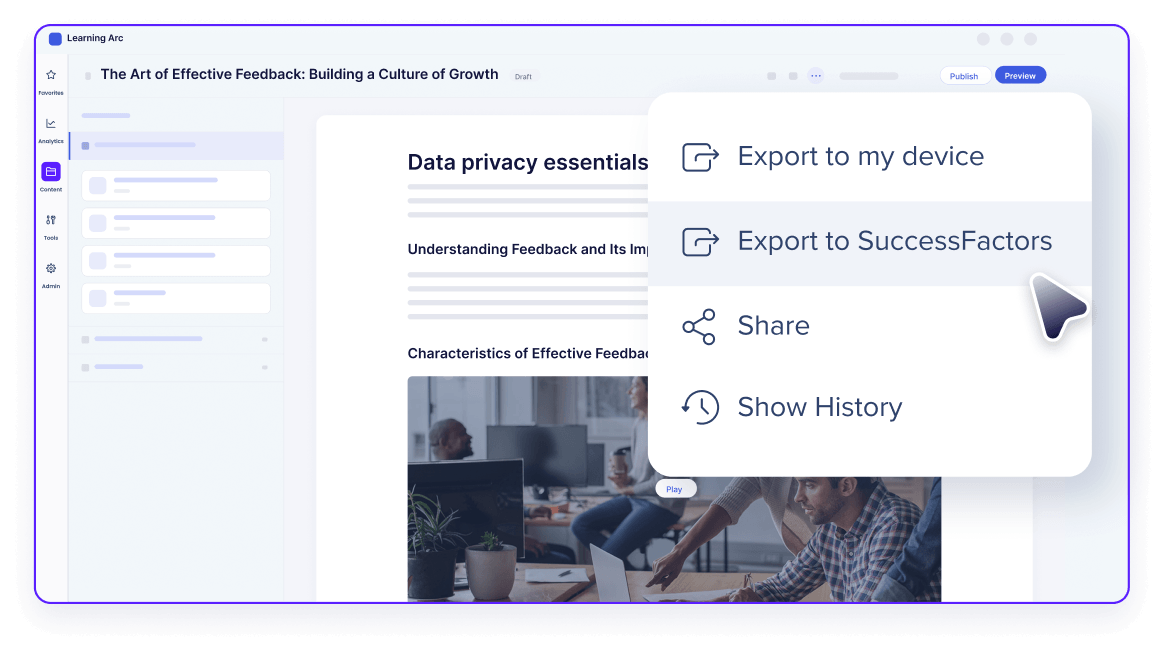
Author courses with AI, then send them to SAP SuccessFactors Learning in one step. For teams that run both, there are no manual exports or imports, and learners find new courses in the system they already use.
Knowing a course underperforms is useful. Knowing which question trips everyone up is what lets you fix it.
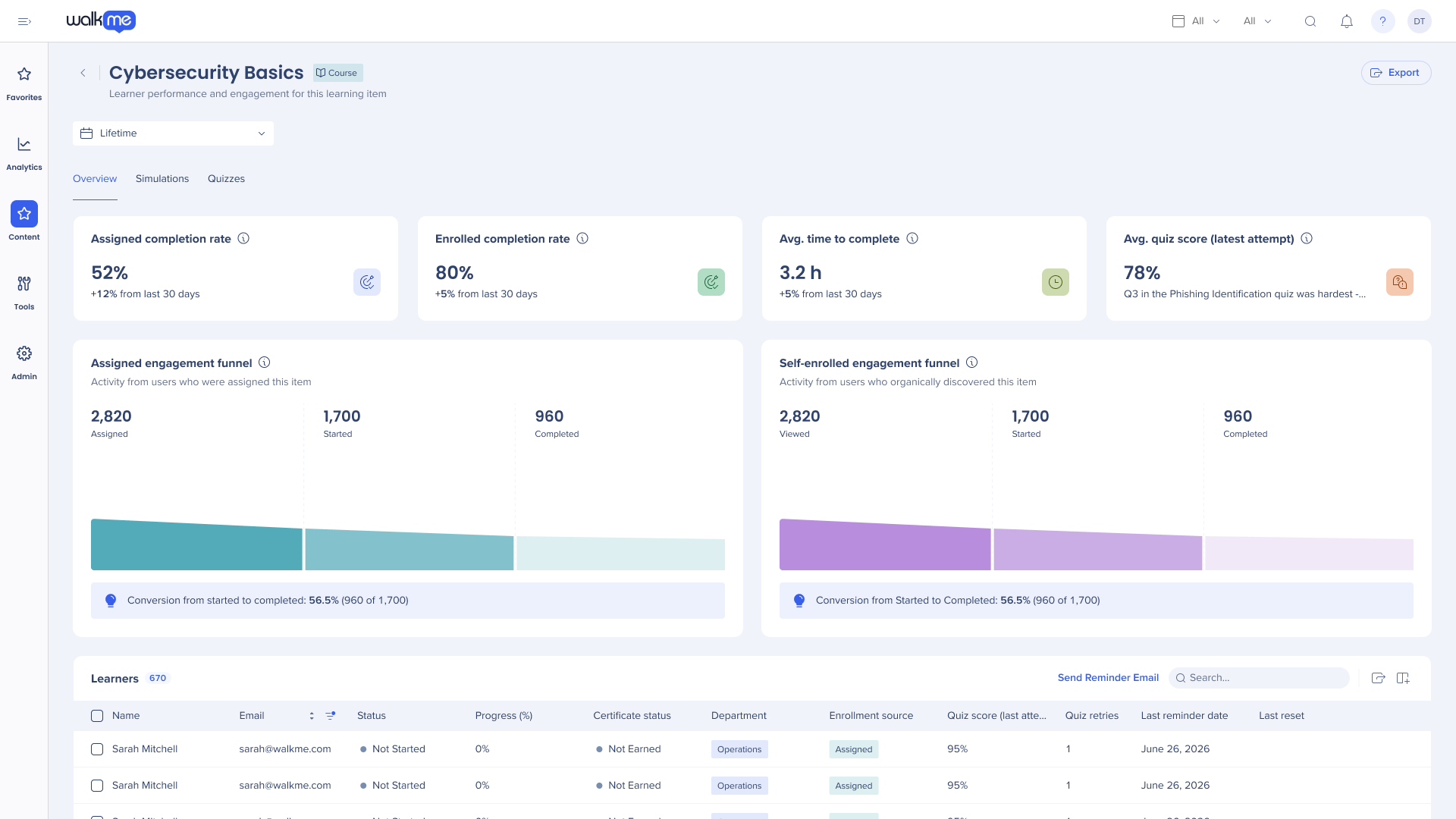
New Quizzes and Simulations tabs in course analytics show how learners start, pass and complete each one. They also surface the questions most learners miss and the simulation steps where they drop off, so fixing a course starts with facts instead of guesses.
Build courses faster, too. Create a microlearning with AI using the same guided flow as a full course, then reuse it across courses as a linked reference that updates everywhere when you publish. Simulations get more realistic, with sequenced annotations, grouped steps, drag-and-drop triggers and recorded keyboard shortcuts.
Want to try it yourself? Sign up for a free 30-day trial.
See it all live on December 1
Join us on Tuesday, December 1, at 11:00am EST / 4:00pm GMT for a live demo session where our product team will show Self-healing Smart Walk-Thrus in action, walk through the Action Bar on desktop, and take you inside the newest digital adoption and WalkMe Learning Arc features.
Already a customer? Save your seat.
Still evaluating? Talk to us.