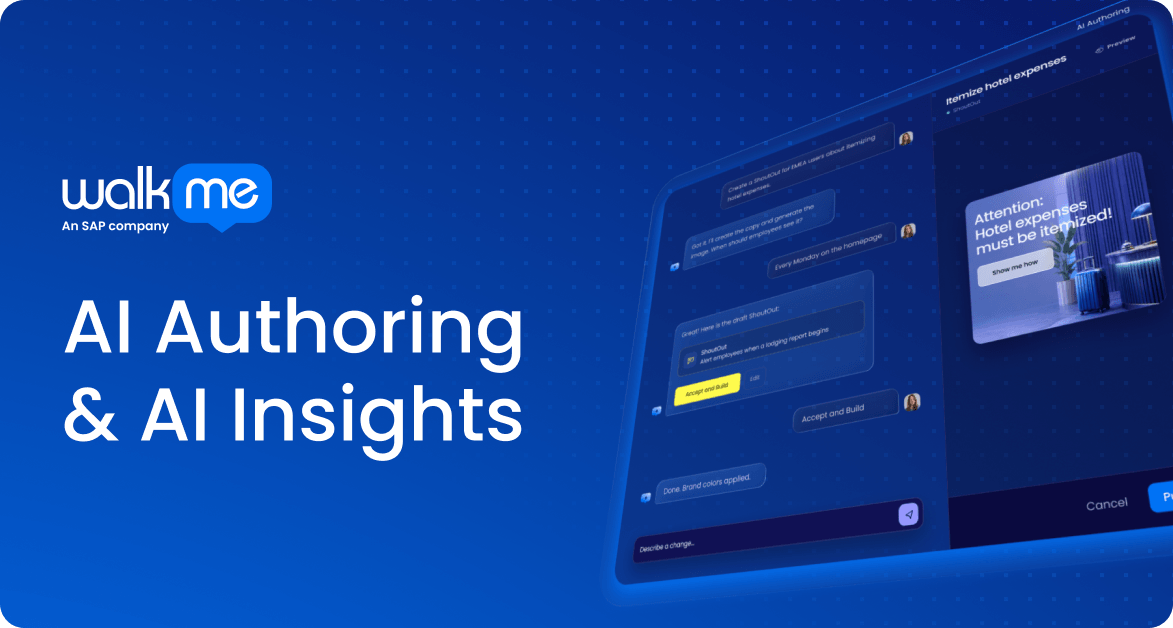
AI Authoring & AI Insights: a new conversational way to build and measure in WalkMe

As AI redesigns how work gets done, it’s changing what digital adoption means. Most companies run on more software than any one person can reasonably learn, and AI is reshaping both how those applications work and how people engage with them.
Today, that judgment gets a new starting point. WalkMe is introducing AI Authoring and AI Insights, two capabilities powered by agentic technology, to build guidance and measure impact, all through simple conversation.
Describe what you want, and WalkMe builds it. Ask what’s happening, and WalkMe presents the answer already in your data. Judgment stays with the human, the digital adoption professional, who we informally call a builder.
WalkMe created this category. Now we’re reimagining its entire workflow as one conversational experience, so you can turn ideas into solutions, and solutions into business value, faster than ever.
Two experiences, one habit
It begins with two new agentic AI capabilities: AI Authoring and AI Insights. Both work through simple conversation, whether you are describing what you want built, including guidance, segmentation logic, copy, and design, or gleaning insights about your adoption data.
AI Authoring allows you to build and customize in-app guidance simply by describing your business problem or digital adoption solution you want built.
AI Insights lets you query application usage and guidance performance through conversational questions.
What you uncover with AI Insights informs what you build with AI Authoring. Builders know what they want and can now describe it in their own words and watch it come to life before their eyes. Meanwhile, stakeholders accountable for software performance get instant clarity. These capabilities expand what’s possible with a digital adoption program, enabling more people across an organization to shape strategy and drive value.
How it works in practice
Rather than starting with complex technical setups, you start with a business problem.
Example challenge: Your organization’s team in Europe isn’t filling in their timesheets every week.
1. Build the solution (AI Authoring)
Instead of manually constructing guidance or configuring logic, you describe the challenge in plain language to WalkMe and follow four simple steps:
- Discuss the best approach: Consult with WalkMe about your situation and potential solutions. You describe the timesheet issue, discuss your options, and align on parameters before WalkMe generates a live preview. WalkMe proposes a plan: an on-screen reminder paired with a step-by-step launcher button.
- Edit the plan before it’s built: Watch WalkMe bring the conversation to life with a live preview you can review and adjust. Add images and CTAs, tweak the copy or design, or even change your mind and swap to a new type of guidance altogether.
- Add rules and segmentation: Define segments and craft display conditions at any point in the process. Simply describe the display scenarios where you want your in-app guidance to appear, such as targeting only European employees missing Friday deadlines, and WalkMe will develop the underlying logic for you.
- Accept and you’re done: Once you’re content with the plan, all you have to do is approve and relax. WalkMe will convert your plan into a completed build available to manage. The only question is what will you build next?
Throughout this process, human judgment stays in control. WalkMe clears away the technical execution, but always pauses for your confirmation before taking action. The exact same workflow applies across any software challenge, whether driving CRM compliance in sales, helping new hires finish onboarding, or guiding teams through complex ERP updates.
2. Measure the impact (AI Insights)
Once your solution is live, measuring its impact follows the exact same conversational path:
- Start with a question: Ask anything about adoption in plain language and get answers. License utilization, user behavior, and questions about the impact of your in-app guidance, such as “How has the new launcher improved timesheet reporting in Europe since we deployed it?”, are all fair game.
- Sit back and get an answer: WalkMe returns an answer along with a chart or table. Data visualizations are tailored to the response. There is no need to filter and hunt through dashboards, export raw CSVs, or build reports manually.
- Dig deeper into the numbers: Ask follow-up questions to further your analysis, such as identifying which specific department in Europe still has low completion rates. Every answer comes with a clear data trail so you know exactly where it came from and how it was calculated, down to the system and environment.
Charts can be saved directly as widgets to any dashboard, so insights don’t stay buried in a conversation. Instead of spending hours building reports, you follow the numbers in seconds to uncover where action is needed next.
Moving from insight to impact, faster
The real shift here is momentum. When a problem arises, builders can identify the issue, build the solution, and verify the results—all in one place, using plain language.
Eliminating delays between spot-checking data and deploying a fix means friction is removed faster and workflows run as intended. When building and measuring happen seamlessly, digital adoption becomes an active engine for continuous business value.
Start with a sentence, and see how fast an idea becomes impact.
New to WalkMe?
Struggling to get employees to use the AI tools you’ve invested in? Join our live session on September 14 to see AI Authoring and AI Insights solve real-world AI adoption challenges and prove software ROI. Register for the webinar.
Already a WalkMe Customer?
We will be hosting a customer-exclusive Q3 release Deep Dive webinar on September 9 to explore how these new conversational capabilities elevate your building and analytics workflows. See our Q3 Product Release blog post to learn more and register for the webinar.