
CRM pricing: Models, costs & implementation

Customer relationship management (CRM) is an important facet of any business that wants to build meaningful relationships at scale.
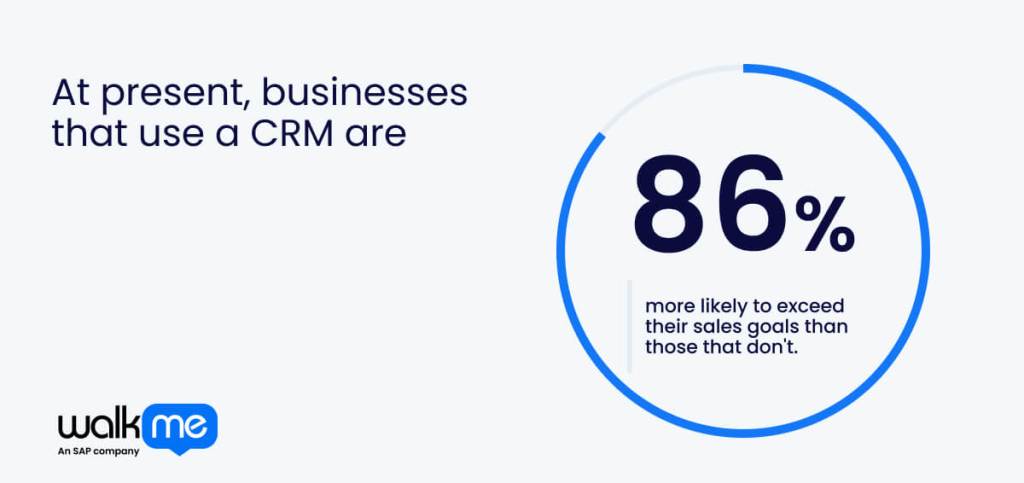
At present, businesses that use a CRM are 86% more likely to exceed their sales goals than those that don’t. However, CRM pricing can be challenging for those who don’t understand the full scope of what they’re paying for.
This includes mismatched plans, unused features, and increased budgets that stretch further than expected. It’s easy to lose track of expenses, which inevitably build up and cause cost shocks down the line.
A clear grasp of the different CRM pricing models gives decision-makers a realistic view of what the system will cost over time, making the investment far easier to manage.
This article explores CRM pricing, what drives costs, and how businesses can plan their investment to get the most value.
Why is CRM pricing important?
CRM pricing matters because these systems sit at the centre of customer activity, guiding sales teams, service agents, and managers through every stage of a relationship.
Reliable CRM software keeps information organized, highlights opportunities, and supports consistent communication, which makes it essential for those who want steady growth.
Costs can rise when licences are added, usage is expanded, or new functions are adopted without reviewing how these choices affect long-term spending.
Sudden price hikes often come from overlooked limits, rushed decisions, or assumptions that don’t reflect how people work. Overcoming this requires careful planning and a nuanced understanding of the way CRMs are priced and why.
Learning about CRM pricing models has a knock-on effect on IT budgets, making them more flexible and stable while reducing the overall cost of software.
What is the average CRM cost?
CRM costs vary widely going into 2025, mainly because businesses use these systems in very different ways. The table below outlines typical CRM costs per user each month:
| CRM Level | Typical Monthly Cost (Per User) | Features |
| Basic | $10–$50 | Core features for small teams |
| Mid-Range | $50–$150 | Stronger automation, integrations, and room to grow |
| Enterprise | $300+ | Advanced analytics, tailored workflows, and large-scale setups |
- Basic-cost options usually sit around $10 to $50 and cover the essentials, making them suitable for smaller teams that only need simple tracking and communication tools.
- Mid-tier products tend to land between $50 and $150, offering deeper integrations, stronger process automation, and more room to grow.
- At the top end, enterprise systems can exceed $300 per user, especially when advanced workforce analytics, tailored workflows, or complex setups are involved.
What are CRM pricing models?
To get the most value out of your CRM software, you must understand the different pricing models, even the ones that seem straightforward at first glance. This is because each structure shapes how your costs grow as your usage increases. Let’s take a closer look at the different CRM pricing models:
| Model | Suitbale for | Features |
| Per-user | Teams that scale headcount gradually | Cost per login, tracked seats, controls tied to individual users |
| Flat licence | Companies with many departments using the CRM | One price for full organisational access, no seat limits, simple billing |
| Monthly billing | Businesses are still shaping their CRM workflow | Short commitment, easy tier changes, flexible experimentation |
| Annual billing | Organisations confident in their chosen CRM | Lower long-term rate, one yearly payment, stable setup |
| Tiered plans | Teams expanding customer operations | Capabilities are grouped into levels, upgrades unlock advanced tools, and structured growth |
| Free and freemium | Small teams are testing the CRM before investing | Core tools included, upgrade path for advanced functions, low-risk entry |
| Pay-as-you-go | Companies with fluctuating customer engagement | Charges tied to activity, cost moves with usage volume, and real-time metering |
Per-user
Per-user pricing sets a cost for each person who needs their own CRM login. Because CRMs track customer activity at the individual level, this model connects spending directly to the number of people who rely on the system to manage their workload. It also influences CRM adoption, since teams must decide who genuinely needs a seat.
Flat license models
A flat licence gives the entire organization access to the CRM for one fixed price. With this structure, teams don’t have to debate who gets a login or worry about adding headcount later. It works best when the CRM supports cross-department workflows because everyone can enter and retrieve data without extra fees.
Monthly billing
Monthly billing renews every 30 days, allowing you to change tiers, adjust user counts, or test new CRM tools with minimal commitment. This flexibility is useful when businesses are still learning how often they’ll use dashboards, automations, or reporting features. Monthly plans also reduce the risk of locking into a setup that doesn’t fit.
Annual billing
Annual billing rolls twelve months of CRM access into one payment, usually at a lower rate than paying monthly. Because CRMs are tightly woven into daily operations, committing to the year often makes financial sense once the system is embedded.
Tiered plans
Tiered pricing organizes CRM capabilities into levels that expand with each upgrade. The tiers help teams align their budget with the complexity of their customer operations, moving upward only when they’re ready for heavier workloads or broader CRM functions.
Free CRM and freemium plans
Freemium CRMs provide core features at no extra cost. They limit advanced functions such as automation, big data analytics, and integrations, but they offer enough room for teams to see whether the platform suits their daily rhythm before upgrading.
Pay as you go
Pay-as-you-go models charge based on real-time CRM usage and typically include records stored, emails sent, workflows triggered, or data processed. Instead of fixed fees, costs shift with activity levels, which can be helpful when customer engagement fluctuates throughout the year.
What factors influence CRM software price?
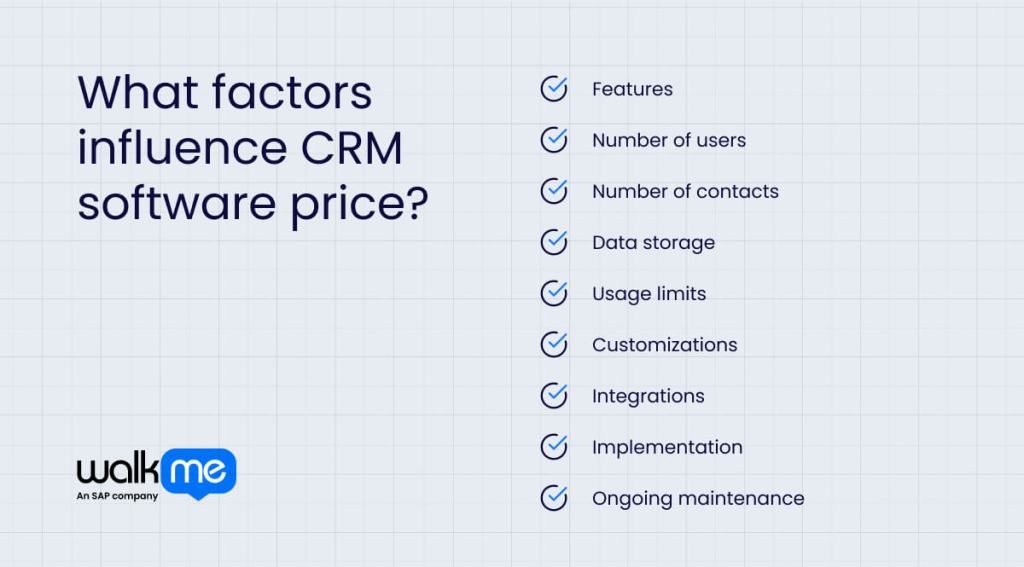
As you’ll find out, a multitude of factors influence the cost of CRM software. Being aware of these puts you in the best position to track each one in a simple spreadsheet, keeping your budget transparent from the start. Here are the most common factors that influence the cost of CRM software:
- Features: Features shape the base cost because each tool adds another layer of capability. More advanced functions, such as workflow automation or AI-driven insights, tend to raise the price, so it helps to track which ones you use daily.
- Number of users: User counts influence spend by determining how many people need their own login. Costs rise as more teams join the system, which makes it worth reviewing who genuinely needs access.
- Number of contacts: Some CRMs charge based on the number of customer records you store. Growing contact lists can increase fees, so keeping an eye on inactive or duplicate entries can keep costs steady.
- Data storage: Storage is how much information your CRM can hold. Large files, long histories, and heavy reporting can push you into higher tiers if you’re not monitoring usage.
- Usage limits: Many CRM platforms set limits on emails, digital workflows, or API calls. When activity spikes, fees can climb quickly, so tracking peaks helps you plan ahead.
- Customizations: Custom builds add flexibility but often require extra development hours or premium support. Keeping a list of essential changes helps avoid unnecessary spending.
- Integrations: Connecting your CRM to other digital tools may involve added licensing or setup fees. Reviewing which integrations deliver clear value prevents cost creep.
- Implementation: Initial setup, migration, and employee training can be one-off expenses that vary widely. Breaking these into clear tasks helps you stay on budget.
- Ongoing maintenance: Maintenance covers updates, support, and system adjustments, so it’s worth remembering that regular check-ins keep these predictable instead of reactive.
How much does CRM implementation cost?
Aside from CRM pricing, you also need to consider implementation costs, which can easily go unnoticed if teams focus on licences alone and overlook the work required to set up the system. Here’s how much it costs on average to implement a CRM:
External consulting
Some teams bring in external specialists to guide their CRM rollout, especially when the platform has complex rules or requires deep configuration. Consultants often handle planning, process mapping, and early troubleshooting.
Their support can shorten the learning curve, yet it adds a notable layer of cost, so it helps to check whether your chosen CRM genuinely needs outside expertise.
Set up and data migration
Moving historical records into a new CRM often carries its own fee, particularly when large volumes, cleanup work, or custom fields are involved.
Some vendors bundle this into the subscription, while others treat it as a separate service. Reviewing your data structure beforehand reduces surprises and helps you understand what the provider will charge.
Training and onboarding
Training can range from simple guided tours to structured onboarding training led by product experts. Costs tend to rise when teams need tailored sessions, certification paths, or ongoing coaching.
The main goal is to help people use the CRM confidently, so it’s worth comparing what each vendor includes and whether their learning materials support everyday needs.
Integration setup
Connecting a CRM to other platforms can require configuration work that isn’t always covered by the base subscription.
Native integrations are lighter to set up, while API-driven or custom-built connections require extra support. Understanding how these links are created helps you gauge both the effort and the long-term upkeep involved.
Time investment
Even when a CRM is straightforward, you still need time to test new processes and settle into daily use.
Productivity may dip briefly during this transition, especially if people are juggling old and new systems at once. Choosing software that feels intuitive reduces this adjustment period and helps regain momentum sooner.
How do you calculate CRM ROI?
A practical way to estimate CRM ROI is to separate what you gain from what you spend.
Gains usually show up as extra revenue from better follow-ups, hours saved through automation, and fewer errors that would otherwise cost money to fix.
Once you’ve listed your gains, compare them to your total CRM spend. The simplest way to do this is with one formula that keeps everything clear:
- CRM ROI = (Gains – Costs) ÷ Costs
Turning it into a percentage is just as straightforward:
- CRM ROI % = [(Gains – Costs) ÷ Costs] × 100
The number tells you whether your CRM gives back more value than it takes. If your gains outweigh the full cost of licences, your ROI is positive. If not, the calculation flags areas where spending or processes need closer review.
Real-world use cases and scenarios of CRM pricing
Organisations often underestimate how CRM costs shift once real workloads are involved. The scenarios below show how pricing changes based on scale, complexity, and everyday use:
Scenario 1: A global sales team scaling from regional to worldwide
A multinational sales organization begins with a modest CRM footprint in two regions. Their initial spend covers basic licences, simple forecasting tools, and limited integrations. Costs are forecast to rise as they expand globally, with more users joining and dashboards becoming more granular.
Their per-user fee stays stable, but the total cost climbs as they extend the CRM across territories, add governance controls, and increase data storage. Leadership views the rise as justified because it brings uniform reporting and coordinated pipelines across time zones.
Scenario 2: Support team moving from email to case tracking
A support organization adopts a CRM to replace scattered inboxes. The base plan covers ticket logging, but as volume increases, costs rise for automation, queue routing, and service-level tracking.
Additional licences are purchased for supervisors, analytics packages are added to monitor agent performance, and integrations link the CRM to the company’s knowledge base. Each upgrade adds clarity and consistency, but the support director now has to budget for recurring add-ons that weren’t needed at the start.
Scenario 3: Automated marketing journeys replace manual lists
A marketing department managing millions of contacts begins with a mid-range CRM tier. As they automate campaigns and store large volumes of behavioural data, they move into higher tiers.
Pricing increases due to contact limits, expanded storage, and more sophisticated journey-building tools. The cost uplift pays off because campaigns are more relevant, response rates improve, and handoffs to sales are cleaner.
As with most enterprise software, CRM pricing can cause headaches for those who don’t fully understand their needs. Digital technology investments are among the most important outlays a business will make, and CRMs are a significant part of that.
What companies tend to get wrong when evaluating CRM pricing models is overlooking how behavioral data and digital adoption rates directly affect overall costs and software ROI.
To overcome these obstacles, assess total operational impact, including hidden workflow dependencies and cross-team efficiencies, before committing to any CRM plan. It’s only when the full cost of change is anticipated that CRM investments truly transform how a business operates.
FAQs
Enterprise CRM plans often account for broader organizational needs, including complex reporting, regulatory compliance, and multi-layered workflows. SMB plans are simpler, focusing on core functions and basic automation. Understanding these distinctions allows companies to choose structures that scale efficiently without overcomplicating operations or inflating unnecessary costs.
Beyond licences, scaling can introduce costs for advanced analytics, audit and compliance tracking, additional security measures, and premium integration fees. Indirect costs include staff training, system monitoring, and workflow redesigns. Anticipating these helps finance and operations teams maintain predictable budgets while supporting expansion.
When multiple departments share a CRM, fees grow due to differentiated access levels, specialized dashboards, and overlapping workflows. Each team may require automation or reporting tailored to their function. Proactively mapping department needs prevents unexpected cost increases and ensures that cross-functional collaboration remains efficient and measurable.