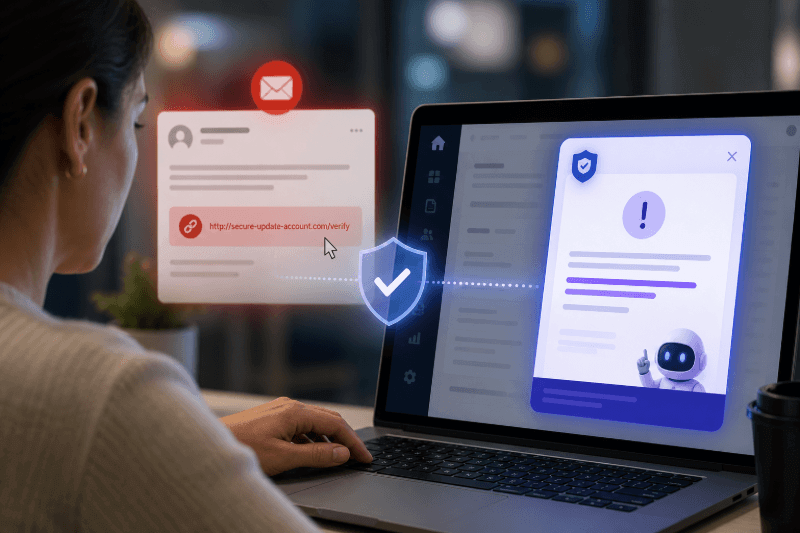
In-app phishing prevention: closing the gap training leaves behind

A third of untrained employees will click a phishing link. Training fixes most of that, but only if it happens where the work actually is.
Highlights
- Training reduces how often someone clicks. It doesn’t change what happens in the moment they’re actually looking at a suspicious link, which is where a digital adoption platform’s real-time, in-app guidance closes the remaining gap.
- KnowBe4’s 2025 Phishing by Industry Benchmarking Report found untrained employees click simulated phishing links 33.1 percent of the time, dropping to 4.1 percent after 12 months of ongoing training, an 86 percent reduction.
- A DAP sits inside the applications people already use, which means phishing prevention isn’t limited to email. It can extend to the browser, internal tools, and any workflow where a risky click could happen.
Ask most security leaders what their biggest risk is, and the honest answer isn’t a zero-day exploit or a misconfigured firewall. It’s an employee, mid-task, clicking something they shouldn’t have. That’s not a knock on employees. It’s what happens when phishing prevention lives in an annual training module instead of the moment someone is actually staring at a suspicious email.
Why phishing prevention still comes down to the click
Verizon’s 2026 Data Breach Investigations Report analyzed more than 22,000 confirmed breaches across 145 countries, and the human element was present in 62 percent of them. Phishing remains a core part of that picture, and the report found something specific worth paying attention to: mobile-based phishing simulations produced click rates 40 percent higher than traditional email phishing. People have gotten better at spotting a suspicious email in their inbox. They haven’t gotten better at spotting the same tactic in a text message or a chat notification, arriving while they’re distracted, walking between meetings, or checking their phone one-handed.
That gap matters because prevention strategies built entirely around email filtering and inbox training are increasingly covering only part of where the click actually happens.
What training actually changes
The clearest data on how much training moves the needle comes from KnowBe4’s 2025 Phishing by Industry Benchmarking Report, which analyzed 67.7 million simulated phishing tests across more than 62,000 organizations. The baseline, employees with no security awareness training, click rate sits at 33.1 percent globally. That’s roughly one in three people.
After 90 days of consistent training and simulated phishing tests, that rate falls by 40 percent. After 12 months, it drops to 4.1 percent, an 86 percent total reduction from baseline. The trajectory is the useful part: most of the improvement happens fast, and it holds as long as the training keeps happening, not as a one-time event but as an ongoing habit.
How a digital adoption platform closes the gap
Training reduces the click rate. It doesn’t eliminate the moment of decision, the split second where someone has to recognize a threat inside whatever tool they’re actively using, whether that’s email, a chat app, or a mobile notification. That’s the gap between training completion and behavior change: someone can pass a quarterly training module and still click a well-crafted phish six months later, because the training happened in a classroom and the threat showed up in their actual workflow.
A digital adoption platform sits in a different position than either email filtering or annual training. Because it’s deployed inside the applications employees already use, not bolted onto the inbox alone, it can watch for the same behavioral signals that make a click risky in the first place, and surface guidance at the exact moment someone is about to act on it, rather than relying on what they remember from a session months earlier. A few ways that shows up in practice:
- Contextual warnings at the point of click. Rather than a static banner or a training reminder, a DAP can recognize a risky pattern, an unfamiliar sender, an unusual link, a request that doesn’t match normal behavior, and surface a warning inside the workflow itself, right as someone is deciding whether to proceed.
- Coverage beyond the inbox. Since a DAP operates across the applications and browser sessions people actually work in, it isn’t limited to email the way most phishing training and filtering historically has been. That matters directly against Verizon’s finding that mobile and non-email phishing already outperforms email in click rate.
- Behavioral analytics that show where risk concentrates. A DAP can surface which teams, roles, or workflows generate the most risky clicks, turning phishing prevention from a blanket, one-size-fits-all training calendar into something that can be targeted at the specific groups and moments where risk is highest.
- Reinforcement instead of a single event. The same in-workflow guidance that improves software adoption can reinforce security behavior the same way, returning someone to a reminder or a check right after a near-miss, rather than waiting for the next scheduled training cycle.
None of this replaces security awareness training. It changes where the last line of defense sits, from a training record filed away months ago to a live signal inside the moment the click is actually about to happen.
What the click-rate math looks like at scale
To be clear, this is industry-wide research, not a WalkMe outcome, but it’s worth seeing the scale training alone can produce. Applying KnowBe4’s numbers to an organization of 10,000 employees facing a single phishing attempt: at the untrained baseline of 33.1 percent, roughly 3,310 people would click. After 12 months of ongoing training, at 4.1 percent, that drops to roughly 410. That’s about 2,900 fewer clicks per 10,000 employees, per attempt, before any in-app layer gets added on top.
The actual hours a security team saves from that reduction depends on each organization’s own investigation and remediation process, so it’s directional rather than a fixed number. What it does show is the size of the gap a DAP is working to close on top of, and why IBM’s 2026 Cost of a Data Breach Report finding, that organizations using AI and automation extensively in security saved $1.93 million per breach compared to those using none, matters here: fewer clicks and faster, more contextual guidance both compound toward the same outcome.
What to look for in a phishing prevention approach
- Does the training happen once a year, or continuously, with simulations reinforcing what employees learned?
- Are simulations covering mobile and chat-based phishing, not just email, given how much higher mobile click rates run?
- Is there guidance available at the moment someone is about to click, inside the application itself, rather than only in a training portal or an inbox banner?
- Can the platform surface which teams, roles, or workflows generate the most risky clicks, so prevention efforts can be targeted rather than blanket?
- Does the reporting tie back to actual incident volume and remediation time, not just a phish-prone percentage in isolation?
The bottom line
Phishing prevention isn’t a training completion problem. It’s a moment-of-decision problem, and the data backs that up from three independent angles: Verizon shows where the human element keeps breaking down, KnowBe4 shows how much continuous training actually moves the click rate, and IBM shows what’s at stake financially when a click goes wrong. Closing that gap means getting guidance to the moment someone is deciding whether to click, not just to the training calendar.
See how WalkMe supports security and compliance workflows
FAQs
It’s guidance and warnings delivered inside the application someone is actively using, at the moment they’re about to click a suspicious link or take a risky action, rather than relying solely on training completed separately from the moment of risk.
According to KnowBe4’s 2025 benchmarking report, untrained employees click phishing simulations 33.1 percent of the time. After 12 months of ongoing training, that drops to 4.1 percent, an 86 percent reduction.
Verizon’s 2026 DBIR found mobile-based phishing simulations produced click rates 40 percent higher than email. Most security awareness training and filtering has historically focused on email, leaving a gap on mobile and chat-based channels where people are often more distracted.
IBM’s 2026 Cost of a Data Breach Report found organizations using AI and automation extensively in security saved $1.93 million per breach compared to organizations using none, against a global average breach cost of $4.99 million. Reducing click rates lowers the number of incidents that can escalate into a breach in the first place.
No. Training reduces the baseline click rate significantly, but it relies on someone recalling what they learned weeks or months earlier at the exact moment they’re targeted. In-app prevention addresses the moment itself, complementing training rather than replacing it.