
ERP-CRM integration: A complete guide

Achieving business agility and advancing digital transformation is increasingly complex. Organizations must connect disparate data stores, applications, and systems to ensure information is accessible in real time.
When effectively linked, these systems can transform large volumes of data into actionable insights for teams across the business.
However, the speed and scale of data generated by digital tools – such as AI-driven platforms, CRM, and ERP systems – can quickly become overwhelming. ERP–CRM integration addresses this challenge by streamlining data flows, reducing manual processes, and improving data accuracy and consistency across the organization.
Industry research supports this approach. A PwC study found that 72% of companies achieved full cloud adoption by prioritizing data modernization, underscoring the importance of integrated systems.

In this article, you’ll learn what ERP–CRM integration is, why it matters, how it works, common use cases, and best practices for implementation.
What is ERP-CRM integration?
ERP-CRM integration is a data transformation system that connects your sales team with your finance and inventory departments. This link creates a single source of truth, ensuring everyone in the company sees the same, accurate information at the same time. Data no longer gets stuck in just one office when your systems talk to each other.
The benefits of this connection are clear for any growing business. Daily work becomes much faster through the automation of tasks that people used to do by hand. Common mistakes decrease, and orders move through your system without delays. Your customers enjoy a better experience because sales reps can check stock levels in the moment.
Teams work together more easily when everyone uses the same data. Finance can see what sales are coming in, while marketing can see which products are actually in stock. This complete view helps you make better plans for the future.
What is the purpose of an ERP-CRM integration?
Without a clear goal for this integration link, you may experience slow manual work and missed opportunities to grow. Accurate, live data helps your team make better choices every day.
Here’s how an ERP-CRM integration improves business quality:
- Drive business growth: A connected system helps you find new sales leads and close deals faster. This also allows your team to focus on strategy instead of fixing data errors.
- Improve data accuracy: Automation eliminates double entry, keeping your records clean and reliable. This feature ensures that your reports are always correct.
- Enhance customer care: Your customer support staff can view order history and account details in a single place. This allows them to answer questions quickly and provide a more personal customer experience.
- Provides a unified view: Managers get a complete picture of the company from a single dashboard. This clarity makes it easier to track performance and plan for the future.
- Strengthens departmental collaboration: Sales and accounting teams can share information instantly without sending endless emails. By working with the same data, everyone stays on the same page.
Why should you connect your ERP and CRM platforms?
Connecting your ERP and CRM systems is vital for your business, as it creates a single, clear set of data for everyone to use. When these systems talk to each other, you can automate tasks and offer more personalized service to your customers.
These are the reasons to connect both of these platforms:
- Improve revenue and profits: Integrated systems help you find more sales opportunities and close deals faster. You can also lower costs by removing slow, manual tasks.
- Encourage better customer service: Your team can see a customer’s full history, from their first purchase to their latest support ticket. This knowledge allows you to solve problems quickly.
- Better data consistency and accuracy: Information stays the same across every department when your software connects all data sources. This prevents the confusion that arises when different teams view different information.
- Gain a better end-to-end view of your organization: Leaders can see how every part of the business affects the others in real time. This complete picture makes it easier to plan for the future and improve business resilience.
- Strengthen employee engagement: Employees feel more confident when they have the tools they need to do their jobs well. Removing repetitive data entry also allows them to focus on more meaningful work.
How does an ERP-CRM integration work?
Understanding how ERP-CRM integration works shows how your sales and customer data connect with your financial and operational information.
This knowledge also helps serve customers better and lets you use this powerful tool to stay competitive and grow.
Here’s a comparison table showing the value of each part as well as a summary of the various parts:
| Integration type | Description | Pros | Cons |
| Point-to-point connectors | Direct connections between two systems | Simple, quick to implement | Limited scalability, hard to maintain |
| Native/built-in integrations | Pre-built connectors provided by vendors | Easy to deploy, vendor-supported | Limited customization |
| Integration platforms (iPaaS) | Cloud-based platforms that connect multiple systems | Scalable, flexible, supports many apps | Can be complex to set up, cost may vary |
| Data sync options | Methods of syncing data (real-time, batch, etc.) | Flexible syncing based on business needs | Sync delays or conflicts possible |
| API-based integration | Uses APIs to exchange data between systems | Highly customizable, real-time data sync | Requires development resources |
- Point-to-point connectors: This method creates a direct connection between two specific pieces of software. It works well for small teams that only need to share data between two tools.
- Native/built-in integrations: Many software providers include built-in integrations with other popular tools. These are the easiest to use because the vendor has already done the hard work for you.
- Integration platforms (iPaaS): These cloud-based tools act as a central hub for connecting multiple applications. They are perfect for agile companies that need a flexible way to manage multiple systems.
- Data sync options: This integration option lets you decide how often your information moves between systems, such as instantly or in daily batches. Choosing the right sync method ensures your team always sees the most accurate data.
- API-based integration: This approach uses custom software to enable systems to communicate directly. It offers the most control and is best for businesses with very specific or unique requirements.
What are the use cases of ERP-CRM integrations?
Understanding ERP-CRM integration use cases is important because it helps all parts of a business work more effectively.
It connects sales, customer service, and operations, so everyone sees the same information. This enables companies to enhance customer engagement. These are the use cases that you could utilise within your company:
Create a consolidated customer view
When you integrate your ERP and CRM systems, you can create a single view of every customer. It breaks down departmental walls and helps build a cross-functional team.
For instance, your sales team can see a customer’s full purchase history and any open support issues. This knowledge makes it much easier to solve problems quickly.
Improve upselling or cross-selling opportunities
Your connected ERP and CRM systems can help your team sell more products to existing customers. These tools use data to provide personal suggestions based on past buying habits. For example, your CRM can send a friendly reorder reminder if your ERP records indicate that a client buys materials every six weeks.
Enhance forecasting
A company that links sales data with your delivery information gives you a complete view of your business. This link helps you track everything from the first lead to the final delivery. For example, a manager might see ten big deals closing soon. The system then analyzes past trends to support the finance team’s cash forecasting.
Automate invoicing
Through an ERP-CRM integration, a salesperson can close a deal in the CRM while the ERP system generates an invoice instantly. For instance, when you add a new service to a CRM client record, the ERP system creates monthly bills. It also works well for project milestones. Once a task is finished, the ERP generates a progress bill linked to the original sale.
Accelerate sales cycles
ERP-CRM integration speeds up sales process adoption. This connection gives your team a clear view of every customer, from first contact to final payment. For example, a sales manager can see payment histories from the ERP directly inside the CRM. This helps them spot late payers early and adjust contract terms before problems arise.
Generate better reports
Users can move past old spreadsheets to see how every department performs in real time with an ERP-CRM integration. For example, a single dashboard can display a customer’s sales history, support tickets, and unpaid invoices simultaneously. This clear view helps your team visualize the whole customer journey.
Build on more accurate quotes
An ERP manages back-office functions such as inventory and costs, while a CRM tracks customer sales history. Integrated systems pull this information into quoting templates, eliminating manual data entry. For instance, the system can check a customer’s credit status in the ERP before a rep finishes a quote. If there is an outstanding balance, the finance team receives an alert immediately.
Revamp inventory management
Your organization can enhance inventory management by integrating an ERP-CRM system that links sales data with warehouse stock in real time. For example, when a customer buys an item through the CRM, the ERP checks the stock levels. If the supply is low, the system can suggest a different product right away.
How can you develop an ERP-CRM implementation strategy?
Creating a clear ERP-CRM implementation strategy is essential, as it enables you to connect sales, customer service, and operations into a single system. Without a plan, data can get mixed up, work becomes manual, users may resist, and projects can fail. This can hurt how well you serve customers and run your business.
Here are the steps required to build your implementation plan, together with a quick comparison table:
| Implementation step | Required individuals or groups | Key deliverables/milestones |
| Know your objectives | Project sponsor, business leaders | Clear goals and success criteria documented |
| Evaluate and map existing data | IT team, data analysts | Data inventory and mapping report |
| Keep stakeholders informed at the start | Project manager, department heads | Stakeholder engagement plan and kickoff meeting |
| Opt for the best integration approach | IT architects, solution vendors | Selected integration method and technology stack |
| Create a security-focused implementation plan | Project manager, security team | Detailed project plan with timelines and security protocols |
| Test real scenarios before going live | QA team, end users | Test results and issue resolution report |
| Measure your efforts and improve | Project manager, analytics team | Performance metrics dashboard and optimization plan |
- Define your objectives: Your project should start with clear business goals that leaders agree upon. These goals could include a faster sales process, better reporting, or lower costs.
- Assess and map your existing data: Your IT team needs to review all current data sources to understand where information lives. They should map how this data will flow between the ERP and CRM systems.
- Get key stakeholders involved early: Early communication with department heads and team leaders builds trust across the company. These groups need to understand how the new system will change their daily work.
- Opt for your preferred integration approach: The right integration method depends on your specific budget and technical needs. IT architects should evaluate different options, such as pre-built connectors or custom APIs.
- Create an implementation plan that includes security: A detailed project plan keeps the implementation organized and on schedule. The security team must ensure that data encryption and access controls are built into every phase.
- Simulate real scenarios before going live: Thorough testing with real-world scenarios helps your team find and fix errors before the official launch. Users should practice everyday tasks, such as processing orders, to ensure data syncs well.
- Measure progress and optimize: Ongoing monitoring of your new system after the launch is essential for long-term success. An analytics team can track performance metrics on a dashboard to assess how well the integration is working.
ERP-CRM integration best practices
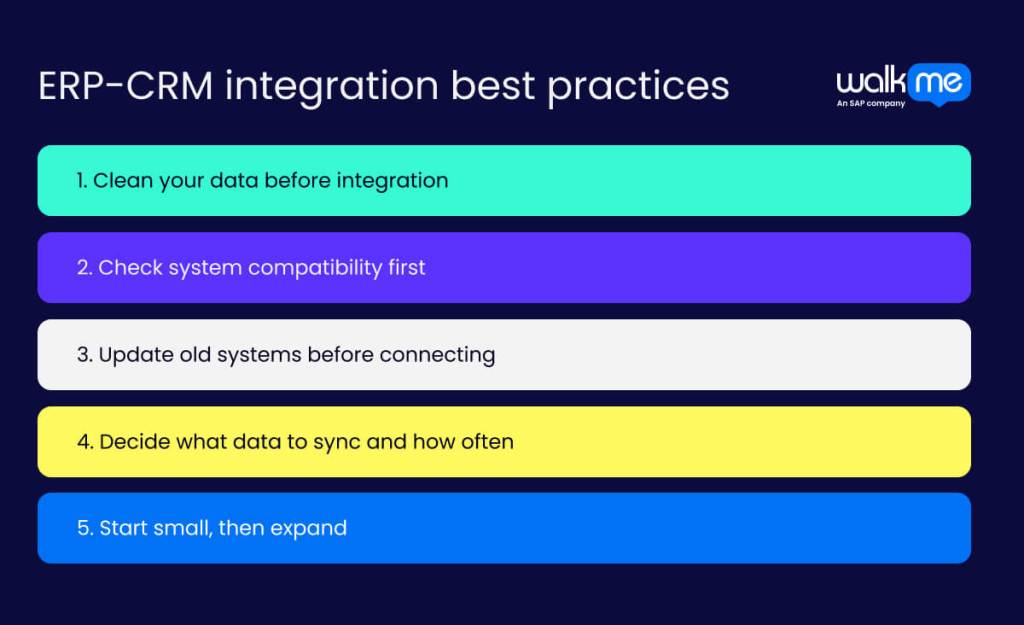
Good practices for connecting your ERP and CRM systems are vital, as they help you get a clear view of your business data and receive real-time updates. This leads to more productive employees and happier customers, while also keeping data safe.
Without these practices, businesses face mistakes, slow processes, and missed chances, which stop growth. Here are the ERP-CRM integration best practices you need:
Clean your data before integration
Better-quality, cleaner data is the foundation of a successful ERP-CRM integration. This process prevents errors and ensures your reports remain accurate for better planning.
You should standardize your formatting and remove any outdated entries before you begin. Your business can also merge duplicate records to create a single, clear source of truth for the whole company.
Check system compatibility first
Poorly checked systems often produce isolated data, leading to errors and a distorted view of the customer. Careful compatibility checks help find hardware, database, or network issues before they affect daily work.
A clear data mapping plan also ensures that fields match between the CRM and ERP, keeping information consistent. Better compatibility planning creates a stable, scalable integration that supports real-time insights and more efficient operations.
Update old systems before connecting
Companies that update legacy applications before ERP-CRM integration can avoid data silos, security risks, slow performance, and rising maintenance costs. Modern systems also help you scale as your business grows.
A good first step is to check your hardware, software, APIs, and data structures to see what still fits. Modern APIs and connectors then make it easier to share data between tools, sometimes with help from integration platforms.
Decide what data to sync and how often
Your organization must choose exactly which data to sync between its ERP and CRM systems. Customers enjoy better service because staff can access their whole history, while managers can make decisions using clear reports.
The best strategy involves setting clear goals and mapping how data moves between platforms. Teams from every department should share their needs during the planning stage. Robust security measures and error alerts keep the entire system running well.
Start small, then expand
You can start small with ERP-CRM integration to avoid big mistakes. Large projects often lead to data errors or system failures that frustrate teams. A small pilot program lets you find and fix these issues in a safe space.
Your business should begin by picking one vital task, such as tracking customer orders. It can opt to test the tools first with a small group of users. Once the first phase runs smoothly, you can invite additional departments to join the new system.
Improve customer satisfaction with an ERP-CRM integration
ERP-CRM integration plays a crucial role in keeping businesses customer-centric and competitive. A connected system creates a single source of truth, so every team works from the same accurate data. Daily collaboration becomes easier and decisions become faster. Cost savings also follow, as automation replaces manual data entry and reduces errors between departments.
Many businesses discover that integration is more straightforward than they first imagined, thanks to user-friendly tools. A careful review of your current systems can highlight gaps and inefficiencies. Guidance from an expert or a trusted integration platform can then turn those insights into customer care actions. This step moves your organization toward stronger, more scalable growth.
FAQs
ERP-CRM integration combines customer data and business operations. This makes work more efficient, accurate, and helps teams collaborate better. The result is happier customers, faster service, and better business decisions that improve profits.
Integrating ERP and CRM systems poses challenges such as messy data, complex technical setups, and varying business processes. Overcoming these also involves managing user adoption and high costs. Success requires careful planning, data cleanup, and practical user training to ensure a unified business operation.