
15 Best collaborative learning platforms in 2026

Collaborative learning has evolved far beyond classroom circles and whiteboards.
Thanks to technology-driven innovation, it now thrives in digital workplaces where peers, mentors, and content all converge in real time.
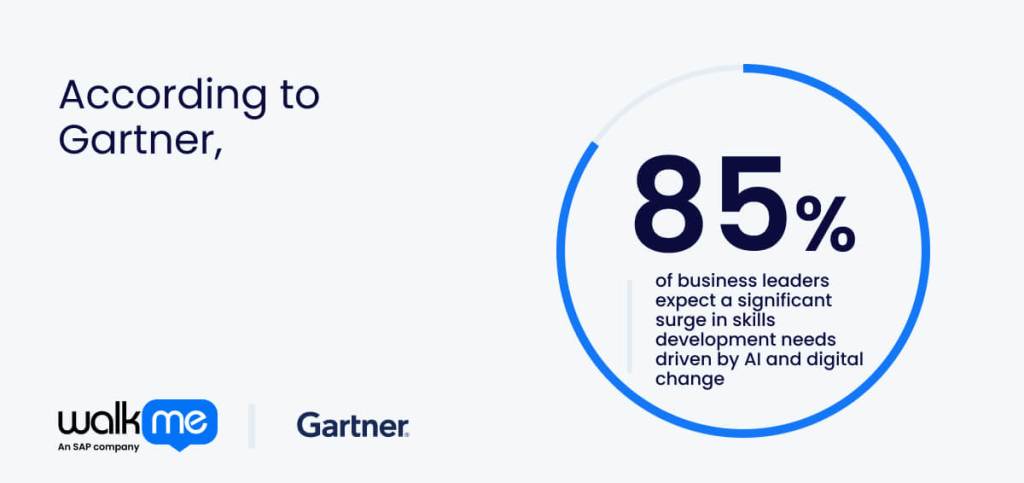
According to Gartner, 85% of business leaders expect a significant surge in skills development needs driven by AI and digital change. In other words, the demand for shared, dynamic learning is rising rapidly alongside new workplace demands and technological shifts.
Collaborative learning platforms are digital tools designed to bring teams together, enable interactive group study, and provide peer feedback, making learning connected, scalable, and practical in enterprise settings.
This article will explore the fifteen best collaborative learning platforms, highlighting how each helps teams share knowledge and develop skills in novel and engaging ways.

1. SAP SuccessFactors Learning
- Suitable For: Large enterprises and compliance-ready firms
SAP SuccessFactors Learning turns corporate learning and development into a living network of shared knowledge. Instead of learners passively clicking through modules, they exchange insights, discuss real challenges, and apply what they learn together. The platform also connects learning to performance, so progress is felt across teams.
SAP’s long history in enterprise software gives it the depth to link every lesson to broader business goals, from compliance training to leadership development. Standout features like advanced analytics and a powerful AI quietly personalise the experience, surfacing what matters to each employee.
For large organisations that want learning to drive organizational cultural transformation, SuccessFactors Learning is the benchmark everyone else builds from.
2. SAP Learning Hub
- Suitable For: SAP specialists and certifications
Still under the SAP umbrella, SAP Learning Hub offers a more open, community-driven space for continuous employee training. Where SuccessFactors
Learning focuses on organizational structure and performance alignment. Learning Hub expands access to thousands of expert-led courses, live sessions, and collaborative forums.
Learners can join study groups, interact directly with SAP specialists, and follow structured learning journeys at their own pace. It’s especially valuable for businesses running SAP solutions that want teams to keep teams sharp without relying solely on formal employee training programs.
Learning Hub bridges formal certification and informal peer learning, giving enterprises a flexible way to upskill at scale while keeping pace with SAP’s constant stream of innovation.
3. 360Learning
- Suitable For: Collaborative teams
360Learning is a platform built entirely around the idea that the best learning happens together. It replaces top-down training with collaborative course creation, letting subject-matter experts across the business build and share content in minutes.
Learners can comment, react, and contribute, turning modules into active conversations rather than formal lessons. Its built-in analytics reveal how teams engage and where knowledge gaps form, helping companies evolve their learning.
What makes 360Learning stand out is its genuine focus on participation, where learning feels shared, social, and alive. If you want learning to grow from within, this platform captures that energy perfectly.
4. Blend LXP
- Suitable For: Innovative training
Not quite making it into the top three but still mighty in its own right, Blend LXP brings creativity and human connection to digital learning solutions.
Designed as a learning experience platform (LXP) rather than a traditional LMS, it curates personalised learning paths that blend video, microlearning, and peer discussions in a single intuitive space.
What really sets Blend apart is its storytelling-driven design, where content feels engaging, relevant, and alive, encouraging users to explore rather than endure training.
Managers can track engagement, while learners collaborate through social feeds and shared challenges. It’s a strong choice for companies that want a modern, people-first approach to professional growth, where learning is a shared journey.
5. Degreed
- Suitable For: Skill development
Degreed changes learning opportunities – courses, articles, videos, and even on-the-job experiences – into growth. It combines workforce analytics, personalized recommendations, and social learning, letting employees discover content, share insights, and validate skills in one place.
Degreed’s USP is its ability to connect learning to real business outcomes, so leaders can see who’s developing which skills and how those skills map to organizational needs. Its reflexive interface and cross-platform integrations make digital adoption easy, while collaborative features keep teams engaged.
For businesses aiming to tie learning directly to capability and performance, Degreed is a flexible and socially connected solution.
6. Kahoot!
- Suitable For: Game-based learning engagement
Kahoot! transforms training into interactive eLearning and gamified experiences that keep teams engaged and motivated. Its quizzes, challenges, and live polls pivot training sessions into lively, collaborative moments where employees can test knowledge, share insights, and learn from each other.
The platform’s simplicity and versatility make it ideal for employee onboarding, compliance refreshers, or team-building exercises, while analytics help leaders track understanding and participation.
Those looking to inject energy and friendly competition into learning, Kahoot! proves that collaboration doesn’t have to be formal to be effective.
7. Padlet
- Suitable For: Interactive visual collaboration
Padlet offers a highly visual, flexible space for collaborative learning and idea sharing. Static lessons become interactive boards where teams can post notes, images, links, and videos, creating a shared knowledge hub.
Learners can comment, organize content, and contribute their perspectives, making every session a dynamic exchange rather than a one-way experience. Its simplicity and versatility suit workshops, brainstorming, or project-based learning, while educators and managers can track contributions and trends across boards.
This platform suits businesses seeking a low-friction, visually engaging way to build internal collaboration and learning.
8. Google Classroom
- Suitable For: Digital classroom management
Google Classroom is a familiar entry in many organisations’ learning toolkits. However, it isn’t a collaborative learning platform in the traditional sense.
While it allows trainers to share assignments, resources, and feedback efficiently, its focus remains largely on content distribution rather than active peer-to-peer collaboration.
Discussion threads exist, but the platform doesn’t natively encourage real-time knowledge exchange or co-creation of learning.
That said, its integration with Google Workspace makes it easy to manage materials, track progress, and facilitate basic interaction, making it a practical choice for teams starting their digital learning journey.
9. Litmos
- Suitable For: Scalability and corporate training
Litmos turns learning in the flow of work into something teams actually use rather than endure. Its library of ready-made courses gets employees up to speed fast, while gamification and mobile access keep learning active and approachable.
Unlike purely social platforms, Litmos balances structure with flexibility, letting employees discuss content, share quick tips, and reinforce lessons as they go.
Training with Litmos doesn’t feel like a task to check off because it’s designed to help learning flow naturally, reach teams at scale, and connect with the people using it.
10. Mentimeter
- Suitable For: Interactive presentation tool
Mentimeter is a platform that goes out of its way to make learning interactive and engaging.
Instead of passively absorbing content, teams participate through live polls, quizzes, and word clouds that prompt discussion and uncover insights in real time. It shines in workshops, presentations, and brainstorming sessions, where active involvement and diverse perspectives matter most.
While not a full LMS, Mentimeter highlights collaboration instantly, allowing learners to connect, share ideas, and reflect together. This platform is best suited for businesses aiming to energise sessions and capture collective understanding.
11. Cornerstone OnDemand Learning
- Suitable For: Enterprise learning management
Cornerstone OnDemand Learning builds an excellent foundation for continuous growth by combining structured training with flexible, learner-driven experiences.
Employees can access courses, certifications, and development paths tailored to their roles, while social and collaborative features let them discuss content, share insights, and learn alongside peers.
Powerful analytics provide leaders with visibility into skills training and progress, helping align learning initiatives with business objectives.
The platform’s scalability ensures it meets the needs of both small teams and large enterprises. Its integration with other modules, such as performance and succession planning, enables a holistic approach to employee development.
12. Docebo
- Suitable For: AI-powered learning platform
Docebo, distinguishes itself by combining innovative automation technology with a human-centered approach to learning. Employees navigate personalised learning paths that adapt to their role, skills, and progress, while social and collaborative tools encourage peer feedback, knowledge sharing, and discussion.
Docebo adapts to teams of any size, keeping learning engaging whether it’s a small project group or a global workforce. The platform creates a sense of connection through social features, shared insights, and collaborative experiences. Those looking to make learning feel natural, relevant, and genuinely engaging can find it here.
13. Edmodo
- Suitable For: Educational communication platform
Edmodo proves that meaningful impact doesn’t always need the top spot. Edmodo provides several innovative Edtech solutions to enhance learning.
The B2B Offline Version brings Edmodo Classroom to remote workers, enabling managers to access tools and resources even without an internet connection. Their Smart Classroom uses VR with STEM and MAKER education to help students visualize concepts and create in 3D.
The Immersive Classroom takes it further, blending terminals, applications, and high-quality content into an interactive, fully immersive 3D environment. Together, these offerings make Edmodo a flexible, human-centered platform that sparks collaboration, creativity, and engagement.
14. Nearpod
- Suitable For: Interactive lesson delivery
Nearpod is a platform that makes learning active, interactive, and a little addictive. Students aren’t just clicking through slides. They participate in VR experiences and collaborative activities that spark conversation and curiosity.
Nearpod’s AI-powered tools help educators craft lessons quickly, add instant assessments, and adapt content to keep everyone involved.
With a library of over 22,000 ready-to-go, standards-aligned lessons, it gives HR and department managers a clear view of progress while letting employees explore at their own pace.
Sessions feel dynamic and participatory, turning learning into a shared journey. Nearpod ensures that ideas flow, curiosity drives action, and employees walk away genuinely more connected and confident in what they’ve learned.
15. Flip
- Suitable For: Social video learning
Flip is all about connecting employees, especially frontline teams, to the people, tools, and information they need, right from a single app.
It combines an AI-powered intranet, HR self-service, workflow automation, and real-time communications to make everyday work smoother and more connected.
Teams can chat, complete tasks, give feedback, and access resources instantly, no email required. Flip is significant in consolidating scattered tools and processes into an accessible hub, helping employees feel included and empowered wherever they are.
Platform overview
We’ve put together the table below so you can see all fifteen collaborative learning platforms and their key features at a single glance.
| Rank | Platform | Suitable for | Key Features |
| 1 | SAP SuccessFactors Learning | Large organizations needing company-wide learning | Teams share knowledge, work together, get AI tips, track progress |
| 2 | SAP Learning Hub | Learners wanting structured and community-driven study | Study in groups, join live sessions, ask experts, flexible learning paths |
| 3 | 360Learning | Companies enabling employees to build courses together | Employee-created lessons, comments, feedback, engagement tracking |
| 4 | Blend LXP | Personalized learning experiences in mixed formats | Videos, micro-lessons, and group discussions in one platform |
| 5 | Degreed | Organizations focused on skills development and growth | Course discovery, shared insights, skill progress tracking, work goal links |
| 6 | Kahoot! | Teams wanting fun, competitive, game-based learning | Quizzes, challenges, live polls, competitions |
| 7 | Padlet | Teams needing visual collaboration and idea sharing | Notes, images, videos, easy discussion |
| 8 | Google Classroom | Simple resource and assignment management | Resource sharing, feedback, discussion, Google app integration |
| 9 | Litmos | On-the-go learning with gamification | Ready courses, mobile-friendly, points, badges, progress checks |
| 10 | Mentimeter | Groups needing interactive presentations and discussions | Live polls, quizzes, word clouds |
| 11 | Cornerstone OnDemand Learning | Enterprises focused on continuous skill building | Courses, certificates, peer discussions, progress tracking |
| 12 | Docebo | Organizations needing adaptive, AI-supported learning | Adaptive paths, collaboration, shared knowledge, AI features |
| 13 | Edmodo | Flexible and interactive learning environments | Offline work, VR lessons, interactive learning |
| 14 | Nearpod | Teams wanting hands-on, interactive sessions | VR activities, group tasks, instant quizzes, self-paced lessons |
| 15 | Flip | Connected team learning and information sharing | Complete tasks, share info, access everything from one app |
What are collaborative learning platforms?
If you’re still wondering what a collaborative learning platform is, we have a simple definition that should make choosing a tool much easier.
A collaborative learning platform is software that enables employees to learn together, share knowledge, give feedback, and engage with content in real time. It’s a novel way of turning employee training from a solo task into a shared, interactive experience.
Collaborative learning isn’t new and was first formalized in educational theory decades ago, emphasizing group problem-solving, discussion, and peer-to-peer teaching as key drivers of understanding.
Nowadays, enterprises are using collaborative learning platforms to replicate those principles in the workplace, helping teams share expertise, solve problems together, and build skills faster.
What are the benefits of collaborative learning platforms?
To get the most out of any collaborative learning platform, it’s important to understand the benefits. Doing so helps organisations choose the right tool, design engaging learning experiences, and ensure that training translates into tangible, future-proof skills.
Let’s take a closer look at the benefits of collaborative learning platforms:
Prepares learners for real-world situations
Collaborative learning platforms let employees practice tasks and problem-solving together, simulating real scenarios they’ll face on the job. By working with others, learners build confidence, test ideas, and discover how to respond in realistic situations. It turns theory into practical experience, so employees are always ready for the next challenge.
Captures key insights and decisions
These platforms make it easy to track what employees discuss, decide, and contribute during learning sessions. Every choice, comment, or solution is recorded, giving teams a clear view of thinking patterns and knowledge gaps. Organizations can then analyse this data to improve processes, make better decisions, and strengthen team performance.
Puts training into context for deeper learning
Learning sticks best when employees see how it applies to their work. Collaborative platforms connect lessons to real projects, examples, or problems, helping learners understand why it matters. Showing relevance and context makes training inherently more meaningful, assisting employees to absorb knowledge in a way that lasts.
What features should you look for in collaborative learning platforms?
Deciding on what features to look for in a collaborative learning platform can make all the difference in how your team learns and engages. The right tools ensure training is interactive, relevant, and easy to integrate into workflows.
Let’s take a closer look at what features to look out for in collaborative learning platforms:
Gamified learning challenges
Gamified learning challenges make training feel exciting and goal-driven rather than routine, motivating employees through playful competition and clear milestones. Adding elements like points, badges, or mini-competitions makes learning feel like a game, rather than a task.
Peer-to-peer feedback
Peer-to-peer feedback is the process of sharing observations, tips, and constructive critiques among colleagues, turning learning into a collaborative conversation. Feedback from colleagues creates a more authentic learning experience than one-way instruction. Employees reflect on others’ ideas, receive constructive suggestions, and adjust their approach.
Live social Q&A
Live social Q&A sessions are spaces where learners can ask questions, respond to others, and engage in discussion as topics unfold. These environments keep learners involved and curious. Employees can clarify doubts, share insights, or test each other’s knowledge immediately. The back-and-forth sparks dynamic discussions, making sessions more interactive, memorable, and tailored to the team’s actual learning needs.
Interactive video creation
Interactive video creation embeds questions, prompts, or clickable elements directly into video content, making it more engaging and hands-on. It lets learners engage directly with content—pausing, answering embedded questions, or exploring optional paths. Employees can apply knowledge as they watch, making learning active rather than passive.
SCORM compliance
SCORM compliance is a technical standard that ensures learning content works across different platforms while tracking progress, scores, and completion. It goes a long way in ensuring that training modules work reliably across platforms, preserving progress, scores, and achievements. Employees experience smooth, consistent lessons across systems, while administrators gain clarity on participation and completion.
Collaborative project work
Collaborative project work is when employees team up on tasks or projects within the platform, learning by doing and sharing insights. These collaborations allow employees to work together on tasks, brainstorm solutions, and learn through doing. Teams can experiment safely and solve problems collectively using a hands-on approach.
How to choose the right vendor for collaborative learning
Making the most of what you already have is often better than investing in tools you don’t fully understand.
The same applies to collaborative learning. Bringing employees together to share knowledge and work collectively is far more effective than letting them operate in silos. Team-focused transformations can lead to 30% efficiency gains in organizations that implement these strategies effectively, according to McKinsey research.
While the full potential of collaboration is still evolving, collaborative learning platforms are redefining possibilities and opening new ways of working.
Choosing the right platform still requires careful thought. Review your existing HR and L&D processes to see what works and what doesn’t. Then, gather input from colleagues through surveys and ensure department managers take ownership.
Lastly, align your findings with platform features, and make a spreadsheet that maps employee needs to specific capabilities to really enhance employee training.
This approach ensures you invest in and drive home a solution tailored to your team’s real needs.
FAQs
Collaborative learning platforms allow all departments to use the same tools and content. Teams can share knowledge and collaborate. Managers can track progress and see where help is needed. This way, training stays consistent across the organization. It also helps large companies train everyone efficiently while keeping learning connected and clear.
Enterprises must ensure employee data is safe and private. Platforms should have secure logins, encrypted information, and straightforward access controls. They should follow legal standards like SOC 2 or ISO. When these safeguards are in place, learning can occur safely, protecting sensitive information and ensuring the company remains compliant.
Good platforms connect with the systems employees already use. This ensures lessons, progress, and data updates are automatically updated. Managers can then see accurate reports without extra work, and employees can access learning from familiar tools. In this way, integration keeps workflows connected and straightforward, making learning easy to follow and meaningful.