
HR software pricing: Costs, types & models

HR software pricing is trickier than it looks. With so many categories, features, and pricing models, it’s no wonder teams struggle to understand what they’re actually buying – or why each tier feels so different.
Here’s the truth: picking the right HR tech is about more than comparing numbers. You need clarity on what drives cost and how well each option supports digital adoption, because software only works when people can actually use it without friction.
HR software isn’t a standalone purchase. It’s part of a broader push to create a better digital workplace. If the investment doesn’t translate into improved experiences and measurable productivity gains, it isn’t doing its job.
This article breaks down HR software pricing and gives you a clear path to choosing the right solution – whether you’re a small business trying to scale, a mid-market team navigating growing complexity, or an enterprise with serious stakes on the line.
What is HR software pricing?
HR software pricing is how providers set costs based on usage, features, and service levels. It reflects how often you pay, what’s included, and how the price scales as your workforce grows.
HR leaders need a clear view of value before committing to a platform to judge whether the cost aligns with the IT budget. Transparent pricing is another important aspect, as some vendors adjust rates mid-contract.
Understanding how and when costs change provides clarity for planning allocations and skirting avoidable financial pressure. A systematic approach to pricing makes it easier to compare options and decide which software supports digital efficiency goals.
Once you understand how HR software pricing models work and how costs can shift over time, you can choose software that strengthens HR operations without introducing financial uncertainty.
What is the average cost of HR software per user?
Understanding the average cost of HR software per user is the best way to interpret long-term financial commitments.
The table below reveals a snapshot of the average price ranges you can expect across different business sizes and helps set realistic expectations before comparing vendors:
| Business Size | Estimated Monthly Cost per Employee |
| Small Business | $8–$30 |
| Mid-Sized Business | $30–$90 |
| Enterprise | $90+ |
Small business
A small business usually pays between $2 and $8 per person per month. At this stage, the focus is on essentials, so lower pricing reflects lean feature sets.
Value comes from choosing a tool that supports early hiring activity without adding financial strain while the company finds its footing.
Mid-size business
Mid-size businesses often face prices between $8 and $30 per person per month. Costs generally rise as teams expand and digital workflows get more complex.
Checking what each tier offers is important because small feature gaps can push businesses into higher plans sooner than expected, influencing long-term budgeting.
Large enterprise
Large enterprises can expect prices starting around $30 per person, rising to over $90 per month for advanced capabilities. Growth brings deeper operational needs, so weighing integration quality, support levels, and scalability is key.
The higher price range reflects digital tools built to handle larger workforces while keeping processes organized as the company scales.
What are the different types of HR software?
Here’s a clear snapshot of what organizations usually spend on different HR software types. These ranges are a starting point for comparing pricing and should give you an idea of whether a quote sits within a normal market window before moving into a deeper evaluation.
Remember that enterprise HR software often requires a custom quote because pricing varies based on workforce size and the level of functionality you need. Let’s take a more in-depth look at the most common types of HR software:
| Software Type | Typical Pricing Range (USD) |
| HRIS | $5–$25 |
| HCM Suites | $25–$60+ |
| HRMS | $5–$40+ |
| Payroll Software | $35–$100/month + $6–$8 PEPM |
| Talent Management | $15–$40+ |
| Applicant Tracking System (ATS) | $3,000–$50,000+ per year |
| Onboarding Software | $5–$15 |
| Learning Management System (LMS) | $6–$30+ |
| Performance Tools | $4–$14 |
| Scheduling Software | $4–$10+ |
HRIS
A human resources information system (HRIS) gives companies a single place to store and update employee records. It reduces administrative costs and ensures essential data remains consistent. The overall cost usually changes with headcount, storage needs, and the number of additional workflows a team chooses to automate through the system.
HCM Suites
Human capital management (HCM) suites bring people operations under one roof, covering areas like learning, payroll, analytics, and workforce planning. They appeal to teams that want broad visibility without juggling multiple tools. Pricing tends to rise with larger user groups, deeper reporting, and the number of bundles included in the rollout.
HRMS
Human resources management systems (HRMS) blend everyday HR tasks with workforce management functions such as attendance tracking or leave management. It’s often chosen by companies that need closer insight into how people spend their time. Costs shift with the level of operational detail tracked and the amount of customization required.
Payroll software
Payroll software handles the complex work behind salaries, deductions, and regional tax laws. It’s designed to reduce physical errors and keep monthly cycles predictable. Prices usually depend on how many employees are paid, how frequently runs occur, and how many jurisdictions the company needs to stay compliant with.
Talent management
Talent management software focuses on growth, capability building, and employee retention. They help teams map skills, shape career paths, and identify future leaders. Expenses often reflect the sophistication of the analytics engine, the breadth of competency models in use, and the volume of internal movement the business supports.
ATS
Applicant tracking systems (ATS) keep hiring organized from the first job post to the final offer. Recruiters use it to manage applications, coordinate interviews, and keep pipelines moving. Pricing usually aligns with hiring volume, collaboration features, and any external integrations, such as job boards or assessment tools.
Onboarding Software
Employee onboarding software welcomes new hires with definitive guidance, digital forms, and early learning tasks, and helps companies create a consistent first-week experience. Costs typically vary based on the number of hires each year, the depth of guided workflows, and the number of steps a company automates across different departments.
LMS
Learning management systems (LMS) support ongoing learning by hosting employee training content, tracking progress, and capturing results. It often replaces scattered documents and outdated training folders. Pricing tends to pivot based on content storage needs, reporting requirements, and the complexity of learning paths or compliance training delivered.
PMS
A performance management system (PMS) makes feedback easier to track and review cycles more transparently. They bring together goals, check-ins, and summaries that help managers track employee performance. Costs fluctuate based on the level of analytics, the flexibility of goal-setting, and the amount of support teams want for year-round conversations rather than annual reviews.
Scheduling software
Scheduling software helps teams manage shifts, availability, and staffing changes without relying on spreadsheets. They reduce last-minute chaos and give employees clearer visibility into work patterns. Pricing usually fluctuates with team size, forecasting accuracy, and the need for real-time adjustments during busy or unpredictable periods.
What are the different HR software pricing models?
Various HR pricing models exist, each shaping what you pay for access and how costs shift over time.
The table below shows how these models work in practice, giving you a straightforward way to compare models and understand exactly what you’re paying for:
| Pricing Model | Definition | Suitable For | Benefits |
| Per user, per month | A set monthly fee for each active user. | Companies with steady or slow-growing headcounts. | Simple to predict and scale as the team grows. |
| Flat fee | One fixed price for full system access. | Small teams or organizations wanting predictable spend. | Stable budgeting and easy cost control. |
| Pay-as-you-go | Billing based on actual usage. | Seasonal workforces or teams with fluctuating activity. | Cost-efficient during quiet periods. |
| Tiered pricing | Feature bundles sold at different levels. | Organizations adding complexity over time. | Clear upgrade paths as needs grow. |
| Site licensing | A single licence covering the entire company. | Large organizations with broad HR tool adoption. | Strong value when many employees need access. |
| Freemium model | Basic version is free; advanced features cost extra. | Small businesses exploring options. | Lets teams test tools before paying. |
| Custom pricing | Pricing tailored to a company’s size and needs. | Large or complex organizations. | High flexibility with enterprise-level support. |
| Module-based pricing | Pay only for the features or modules selected. | Teams wanting targeted functionality without a full suite. | Flexible build-your-own system. |
What factors influence HR software cost?

Understanding the factors that influence HR software costs is essential, as pricing isn’t always as straightforward as it first appears.
Vendor fees often deviate from initial expectations, creating a gap between the quoted cost and the amount you end up paying over the contract term.
These are the most common factors that influence the cost of HR software:
- Number of users: More people on the system usually means higher monthly costs, so pricing rises as your workforce grows.
- Features and functionality: Extra tools add convenience but also increase the price, especially when you move beyond basic HR tasks.
- Customization: Changes to how the software works often involve extra setup time, which can push the overall cost higher.
- Deployment type: Cloud systems spread costs over time, while on-site setups tend to involve larger upfront spending.
- Support and maintenance: Stronger support, faster response times, and frequent updates usually come at a higher cost.
- Compliance and security features: Strong protections and built-in regulatory safeguards add to the total price because they require more work to maintain.
- Training and implementation: Getting employees up to speed can involve additional sessions or help from specialists, which increases early costs.
- Vendor reputation and market position: Well-known providers often charge more because buyers expect stability, proven systems, and reliable service.
- Contract length: Longer commitments usually secure better rates, while flexible or short-term agreements tend to cost more.
- Integration with other systems: Connecting the software to tools you already use can take extra time or require technical support, which can increase the initial spend.
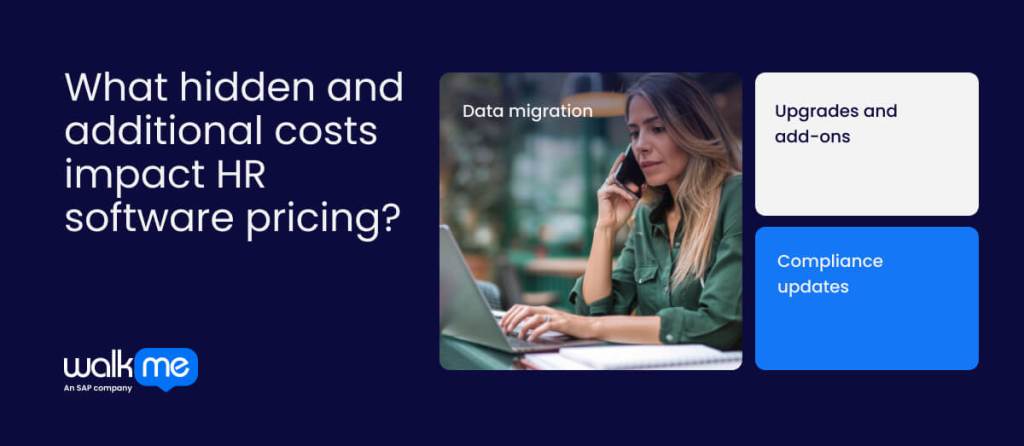
Apart from the factors mentioned above, HR software costs often include hidden or additional fees you need to be aware of. These costs are not as obvious upfront and can add up quickly, affecting software ROI and total cost of ownership (TCO):
Data migration
Moving existing employee records into a new HR system can be time-consuming and error-prone. Unexpected complications such as format mismatches, incomplete data, or system incompatibilities can dramatically increase costs. To limit data migration costs, audit data quality, map digital workflows in advance, and request vendor guidance to estimate migration effort and budget accordingly.
Upgrades and add-ons
Optional modules or system upgrades may be necessary after deployment, resulting in recurring or one-time charges. Features like workforce analytics or specialized reporting can easily go unnoticed. Must-haves should be prioritized upfront, and potential add-on expenses should be included in long-term budget planning.
Compliance updates
Regulatory changes require software adjustments to maintain legal and reporting standards. Vendors may charge for updates, patches, or improved compliance features. Confirm how updates are handled, whether costs are included in the subscription, and schedule periodic reviews to anticipate additional compliance-related spending.
Maximizing value from HR software investments
HR software investments are one of the most important costs a business will incur.
Employees are at the core of all operations, and supporting them strengthens how people work, collaborate, and develop. On top of that, managing complex processes such as payroll and data compliance further complicates HR software pricing.
Those who understand that HR processes are inherently connected and feed into wider digital strategy are in the best place to make informed software purchasing decisions.
Use the information in this article to look holistically at the full picture rather than focusing on headline fees alone. Understanding how costs interact across people, process, and technology (PPT) frameworks means more grounded budgeting and far more accurate long-term planning.
Remember that HR software should streamline processes, not create financial uncertainty, so pricing decisions based on the full picture are more likely to deliver lasting value.
FAQs
Pricing rises as systems take on heavier loads, wider access, and more detailed workflows. Large enterprises often pay more because they need advanced controls, stronger process automation, and support across multiple locations. The cost reflects the depth of coordination required to keep thousands of employees aligned without slowing down day-to-day operations.
HR needs grow and shift as companies scale, launch new programs, or enter new markets. Costs can rise with added users, modules, or compliance requirements. Enterprises can forecast spending by regularly reviewing usage trends, negotiating flexible contracts, and building contingency budgets to absorb inevitable changes without disrupting operations.
ROI becomes clearer when leaders track how much time and manual effort the suite removes from routine work. Gains often show up in fewer errors, faster hiring cycles, smoother payroll, and stronger compliance. Comparing these improvements against ongoing software spend gives a more precise picture of long-term value.