
Enterprise software pricing: Definition, components & models

Executives will tell you that mastering enterprise software pricing is the only way to ensure investments deliver value.
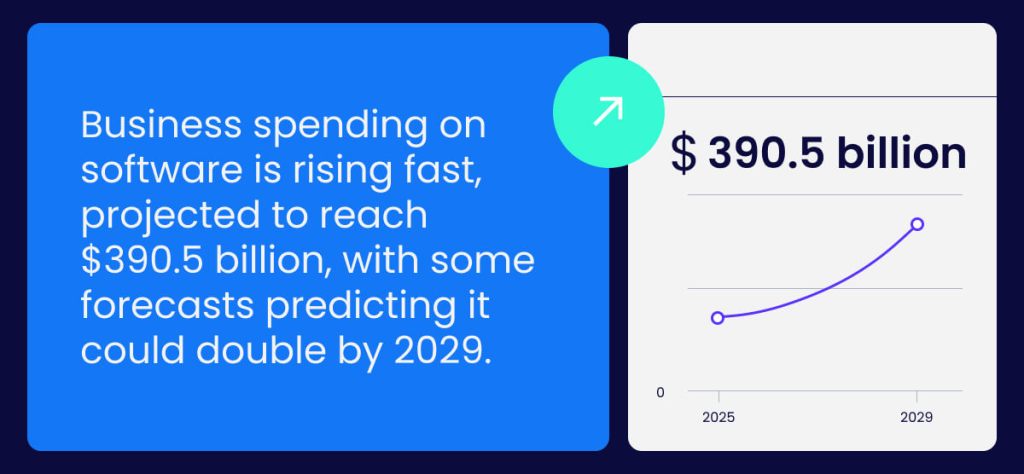
Business spending on software is rising fast, projected to reach $390.5 billion, with some forecasts predicting it could double by 2029. As software adoption grows, a better understanding of pricing models means smarter implementation and scaling.
Really understanding the different pricing models involves digging a layer deeper and using the information in this article to measure whether the overall prices of software investments for enterprises are justified.
This article explores enterprise software pricing, showing how understanding models, adoption patterns, and cost structures can help organizations invest wisely as software spending continues to accelerate.
What is enterprise software pricing?
Enterprise software pricing refers to how business applications are priced based on their scope, user volume, and level of customization. Instead of a fixed cost, pricing often depends on usage, integrations, and the support required to fit enterprise systems.
Understanding enterprise software pricing is important because it helps avoid overpaying for licenses and features while ensuring the performance, scalability, and compliance required for growth.
For example, a company using a digital adoption platform (DAP) might be charged based on the number of active users, the depth of implementation, and data analytics capabilities. Capturing the nuances of these pricing factors helps decision-makers choose cost-effective software.
How does enterprise differ from SMB pricing?
To get the most out of enterprise software, you need to understand how its pricing model differs from software designed for smaller businesses.
Here are the key differences between enterprise software pricing and pricing for SMBs:
SMBs
Small to medium-sized business software pricing comes in simple, often more predictable packages. SMB software pricing models are usually based on a fixed monthly or annual fee per user, with features that are typically standardized.
For smaller businesses, the focus is on affordability and ease of setup, without complex pricing tiers, which helps them adopt software more quickly and with a simpler implementation. The straightforward pricing models aimed at SMBs also make it easier to forecast costs and plan budgets with greater accuracy.
Enterprises
Enterprise software pricing is much more nuanced and takes into account factors such as an organization’s size, complexity, and specific needs. Costs depend on advanced features, user volume, custom integrations, and data usage.
Larger enterprises have greater bargaining power, so pricing is negotiated on a case-by-case basis. This usually means more flexible terms, but also requires thorough evaluation. Enterprise pricing models are designed to scale with larger organizations and provide a long-term value proposition, which explains the higher price.
What are the key components of enterprise software pricing?
Navigating enterprise software pricing can be tricky, as costs often extend beyond the base license to multiple layers.
The table below breaks down each key component, making it easier to understand its purpose and impact:
| Component | Description | Example |
| Feature Customization | Adjustments to software features to meet explicit business needs. | Adding custom departmental dashboards. |
| Volume Discounts | Reduced pricing based on the number of users or licenses. | Negotiating lower per-user fees for 500+ active users. |
| Premium Support | Access to support, including dedicated account managers. | 24/7 technical support with an enterprise success manager. |
| Scalability Features | Capabilities that allow the software to grow with the organization. | Cloud storage expansion, or multi-region deployment. |
| Training and Onboarding | Services to help teams adopt the software effectively and efficiently. | On-site or virtual training sessions and user adoption programs. |
Feature customization
Enterprise software can be tailored to fit digital workflows, processes, or departmental needs. Pricing often reflects the level of personalization, from adding new modules to modifying dashboards, ensuring the system aligns with strategic objectives and maximizes productivity.
Volume discounts
Large organizations purchasing licenses in bulk often receive scaled discounts. These reductions reward high user counts or extended contracts, helping enterprises manage costs while maintaining access to software without compromising on features or functionality.
Premium support
Enhanced support provides faster response times, dedicated account managers, and proactive issue resolution, though it comes at an additional cost. Investing in premium support might initially inflate expenses, but in the long term, it reduces downtime and ensures that software adoption progresses across the business.
Scalability features
Enterprise solutions include features that grow with demands, such as additional storage, multi-site deployment, or advanced analytics. Pricing considers potential future expansion, ensuring the software can adapt without requiring costly migrations or platform changes.
Training and onboarding
Employee onboarding and training are usually priced separately or include premium add-ons. These services reflect the resources required for live sessions, tutorials, or tailored training programs focused on user adoption or skill development.
What are the different pricing models for enterprise software?
Before we explore the different pricing models for enterprise software, the table below summarizes the pros and cons of each to help you make an informed purchasing decision:
| Pricing Model | Pros | Cons |
| Contract-Based | Costs and services are clear and stable | Limited flexibility, penalties for changes |
| Custom | Fully tailored to needs and scalable | Complex negotiation, less transparency |
| Flat-Rate | Simple, predictable, easy to budget | May include unused features |
| Freemium | Try before paying, low risk | Limited features, upgrades can add cost |
| License-Based | Long-term access with predictable cost | High upfront payment, less flexible |
| Per-Feature | Pay for what’s needed, flexible | Adding features later can get expensive |
| Per-User | Costs scale with team size, easy to forecast | Can become expensive, needs careful monitoring |
| Tiered | Clear packages with predictable costs | Unneeded features may be included, upgrades costly |
| Usage-Based | Costs reflect actual activity | Hard to predict, can fluctuate |
| Value-Based | Price aligns with business impact | Subjective, harder to benchmark |
1. Contract based
Contract-based pricing sets the cost and service levels through a formal agreement between the vendor and the organization. It ensures clarity, but flexibility can often be limited.
This model can be likened to a roadmap for software spend, where you know the cost, support level, and duration upfront. Key aspects to note:
- Fixed price and term: No surprise cost changes during the contract.
- Guaranteed support: SLAs spell out included help and performance.
- Exit fees: Ending contracts early can be costly.
Example: A 36-month HRIS contract locks in per-user fees and guaranteed support. This means you have clear support commitments, but scaling quickly may require renegotiation or added fees.
2. Custom
Custom pricing is negotiated and tailored to an organization’s size, complexity, and requirements. Vendors often create bespoke packages that include users, integrations, support, and onboarding. Enterprises benefit from:
- Aligning features with workflow needs
- Including multi-region support or regulatory compliance
- Strategic cost allocation based on TCO and ROI
Example: A global HR platform may negotiate a package for 18,000 employees with dedicated training and custom dashboards. Look out for hidden add-ons or costs beyond base-level agreements.
3. Flat-rate
Flat-rate pricing charges a fixed fee for access to software, regardless of the number of users or features. This simplicity appeals to buyers who want predictable costs and minimal administration. To understand the benefits and limitations, consider these points:
- Predictable cost: One set price simplifies budgeting.
- All-inclusive features: Access to the full suite without extra charges.
- Minimal monitoring: No need to track individual usage.
Example: A corporate timekeeping platform might charge $120,000 annually for unlimited employee accounts. Here, flat-rate pricing offers financial predictability but may include unused features, so buyers should weigh simplicity against the risk of overpayment.
4. Freemium
Freemium pricing offers basic access at no cost, with fees applied when organizations move into advanced features or higher usage. It’s a low-risk entry point, but upgrades can accumulate quickly, so teams need a plan for future spend. Key points for buyers include:
- Free entry for testing adoption and early workflows
- Gradual expansion into paid features as needs grow
- Potential for rising costs if advanced tools are essential
Example: A workforce scheduling app may allow 50 employees to manage shifts for free, while conflict-resolution training sits behind a paid plan. Freemium works for early exploration, but forecasting upgrade needs keeps long-term spend under control.
5. License-based
License-based pricing requests payments up front for the right to use software for a fixed term or indefinitely. It provides cost predictability, but you need to know how long the licence lasts and accommodate that in your strategy. Consider these aspects:
- Access rights: Users can operate the software for the licensed period.
- Compliance tracking: Monitor expiration to avoid lapses.
- Department coverage: Licenses may include multiple teams.
Example: An enterprise payroll system may sell a three-year license for $200,000 covering all employees. After the initial period, renewal fees or extra licenses may be required to maintain access.
6. Per-feature
Per-feature pricing charges separately for each part of the software, so organizations pay only for what they need. When reviewing this model, buyers should look at how features connect and whether the structure creates hidden costs. Key points to consider include:
- Feature dependencies matter: Features requiring other modules increase total spend.
- Costs stay focused: Teams avoid paying for tools they won’t use.
- Planning prevents gaps: Choosing features individually means mapping what’s essential to avoid missing functionality.
Example: A human resources platform might sell recruitment, workforce analytics, and learning solutions individually. This keeps costs focused and avoids paying for unused capabilities, but careful planning is needed to prevent gaps or overlaps.
7. Per-user
Per-user pricing charges organizations based on the number of active users, allowing buyers to scale costs as they grow. When considering this model, keep the following in mind:
- License scaling: Fees increase as employees are added.
- Monitoring required: Ensure inactive accounts aren’t inflating costs.
- Straightforward forecasting: Cost growth is predictable with headcount.
Example: An enterprise training platform may charge $35 per active user per month. Keep in mind that per-user pricing should provide clarity and flexibility. However, careful management is needed to prevent unnecessary spending as headcount changes.
8. Tiered
Tiered pricing offers software in packages or “tiers,” each with its own features, limits, and support levels. This model aligns costs with distinct needs and provides clear upgrade paths as requirements grow. Key aspects include:
- Multiple tiers: Basic, Standard, and Enterprise.
- Cost predictability: Buyers know exactly what each level costs.
- Upgrade consideration: Growing teams may need to move tiers over time.
Example: A corporate messaging platform may charge $10/user/month for Basic, $20/user/month for Standard, and $35/user/month for Enterprise.
9. Usage-based
Usage-based pricing charges fees based on activity or consumption within the software. This model ensures organizations pay in proportion to their real usage, but also requires oversight to manage spending. Key points for buyers include:
- Costs reflect use: You pay only for the actions employees perform.
- Billing can vary: Heightened activity increases invoices, while low activity reduces costs.
- Oversight matters: Regular checks stop small spikes in activity from turning into surprise costs.
Example: A support ticket tool may charge $2 per ticket submitted. If digital adoption is low, tickets rise, driving up costs and making monitoring of this model essential.
10. Value-based
Lastly, value-based pricing sets fees based on the results a software delivers, not on how many users there are or which features are included. To make this model work, you need clear ways to measure success. Track the following outcomes to see if the investments pay off:
- Employee retention: Shows whether the software reduces turnover and strengthens workforce stability.
- Productivity gains: Highlights improvements in task completion, workflow efficiency, or time saved.
- Employee engagement levels: Indicates whether adoption and sentiment improve through better digital experiences.
Example: An employee engagement platform might charge more when it helps boost retention across teams. This approach rewards real impact, but organizations must be able to measure results to ensure the price matches the value received.
How to interpret enterprise software pricing

Now that you have sight of the different enterprise software pricing models, you’ll need to know how to interpret them:
Understand the cost drivers of each pricing model
The following cost drivers are generally applicable to enterprise software pricing:
- License type: Term, perpetual, or user-based access affects cost.
- User volume: More users increase fees.
- Features and integrations: Advanced modules and connections add expense.
- Support and scalability: Premium support and growth options raise spend.
Use them to factor in the ongoing expenses required for adoption and value delivery.
Break down the included features
The table below is a catch-all template to assess included features, support, and scalability across all the enterprise software pricing models in this article.
| Cost Element | What to Check | Why It Matters |
| License | Term, perpetual, per-user | Determines payment structure |
| Users | Active seats or teams | More users increase cost |
| Features | Included vs add-ons | Extra tools raise price |
| Integrations | Connected systems | Some add fees |
| Support | Helpdesk, SLAs | Premium support costs more |
| Customization | Dashboards, workflows | Personalization can add spend |
| Scalability | Growth, storage, multi-site | Expansion affects total cost |
Check licensing flexibility
Look at how the software lets you add or remove users, switch between plans, or extend access. Flexible licensing prevents overspending and is the only way to accommodate growth. Fluid licenses also ensure you only pay for what’s needed, avoiding surprises as teams or usage inevitably change over time.
Evaluate upgrade paths
Assess how easily your software can grow with your organization:
- Check if seats or features can be added or removed without hassle.
- Confirm plan changes don’t trigger unexpected fees.
- Review options for extending or scaling long-term use.
Remember, flexible upgrade paths are essential for large enterprises that anticipate growth, restructuring, or evolving operational needs.
Calculate the total cost of ownership (TCO) over time
Calculate enterprise software total cost of ownership (TCO) by adding upfront costs, multiplying ongoing operating costs by years of use, then subtracting residual value.
TCO Formula: TCO = Upfront Costs + (Operating Costs × Years of Use) – Residual Value
Compare support and service levels
Understanding support and service differences helps predict hidden costs and ensures timely assistance. The table below offers a quick glance at typical options:
| Support Type | What’s Included | Cost Impact |
| Standard | Email support, limited hours | Low |
| Premium | 24/7 support, dedicated manager | Medium |
| Enterprise/Custom | SLA guarantees, on-site support | High |
| Self-Service | Knowledge base, community forum | Minimal |
Assess contract terms and renewal conditions
Beyond the upfront price, contracts dictate long-term costs. Review auto-renewals, notice periods, termination clauses, and penalty fees. Understanding these terms prevents unexpected charges and helps forecast true ongoing software expenses.
Making informed enterprise software purchasing decisions
It’s easy to get frustrated by the complex pricing arrangements of enterprise software. However, understanding why each exists and the benefits they bring will help make the most informed purchasing decision.
Software is one of the most expensive financial commitments a business will make in its lifetime. In this regard, securing the right pricing model is the only way to ensure organizational alignment on costs and maximize software productivity ROI.
Next, make a concerted effort to evaluate all cost components to reflect the true total cost of ownership and long-term value.
Go over the full scope of needs, compare each model through that lens, and choose the option that offers measurable value today while still supporting the direction the business is heading.
FAQs
Pricing isn’t just about users or features. Things like custom workflows, extra integrations, premium support, and company size all affect costs. Even contract length or regional compliance requirements can make a difference. Understanding these helps you see the full price and avoid surprises.
Start by knowing what you really need and how it matches your growth plans. Ask vendors for flexibility on users, features, or support. Compare similar software deals and use clear data on expected usage and value to negotiate fair, tailored pricing.
Don’t focus only on the sticker price. Ignoring long-term costs, such as upgrades, support, or unused features, can hurt ROI. Also, skipping proper planning for scalability or failing to account for hidden fees often leads to overspending and frustration. Look at the total cost, not just the initial price.