
Blended learning: Models, examples & corporate training

Blended learning is gaining traction as companies shift from one-size-fits-all training to more flexible approaches.
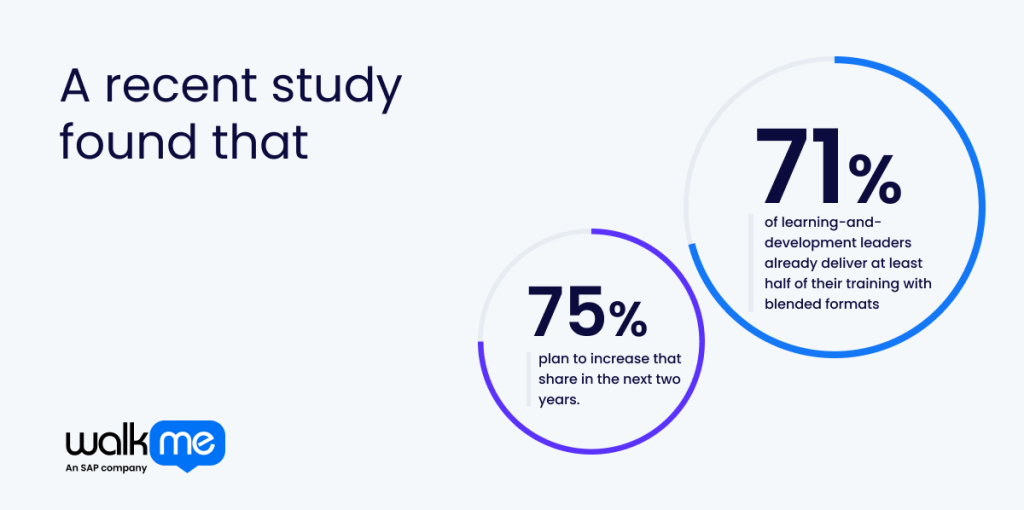
A recent study found that 71% of learning-and-development leaders already deliver at least half of their training with blended formats, and 75% plan to increase that share in the next two years. The trend reveals a growing demand for employee training that aligns with the cadence of modern work patterns, merging convenience, variety, and relevance.
As learning needs change and evolve in the workplace, blended learning helps keep pace without sacrificing quality or engagement. Consider it a strategic training solution that uses soft skills like adaptability to reimagine and revamp the employee experience.
This article explores blended learning and walks you through the core models, real examples, and the practical steps needed to build a program that supports everyday performance.
What is blended learning?
Blended learning brings together digital instruction and guided learning to create a single and continuous training model. It threads together online modules, hands-on sessions, and practical application into the flow of work, allowing people to move between formats without losing context. Blended learning allows for space to absorb material, creating an ebb and flow that suits personalized interpretation.
Interactive tools are used to promote knowledge management, and structured support is offered
through live sessions, group discussions, and guided practice. Because each format complements the other, blended learning builds a smoother path from understanding to application.
Digital elements deliver clarity, consistency, and repeatable guidance, while in-person or live components offer depth, feedback, and the chance to work through questions in real time. The combined structure often turns complex material into something more approachable, with every step reinforcing the next. In this way, blended learning functions as a flexible training model that adapts to different learning styles without compromising clarity or depth of understanding.
Why is blended learning important?
Blended learning is important because it answers a long-standing gap in how people absorb new skills and keep pace with changing demands.
Most employee training programs rely on a single delivery style, which often leaves voids in understanding and application. A mixed model, such as blended learning, fixes that by creating learning paths that feel natural and closely aligned with how people process information.
The various components, including live sessions, add depth and guidance, while self-paced modules create space for reflection. Practical tasks then anchor knowledge in real scenarios. When these elements work in tandem, training feels like less of a one-off event and becomes ingrained in an ongoing cycle of growth.
Blended learning styles also support varied employee training needs without being overwhelmed with rigid schedules or dense materials. It has a knock-on effect that also builds confidence and keeps progress visible at every step.
That balance makes employee development feel more resilient and far more likely to drive lasting improvements.
What is the difference between blended learning and hybrid learning?
Blended and hybrid learning are often grouped together because both blend digital tools with face-to-face instruction. The overlap makes them easy to confuse, yet the structure and intent behind each model are quite different. Here are the differences between blended and hybrid learning:
| Aspect | Blended learning | Hybrid learning |
| Structure | Online and in-person elements are woven into one continuous learning route. | Two separate routes run side by side: one online and one in person. |
| Flow | Learners move between formats as part of a single planned journey. | Learners choose one format per session, with both options covering the same material. |
| Purpose | Designed to link digital guidance with live practice for a connected experience. | Designed to provide flexibility in attendance without merging the formats. |
| Interaction | Digital and classroom moments build on each other. | Each mode operates independently, offering parallel ways to take part. |
| Experience | Feels like one coordinated program. | Feels like two interchangeable versions of the same session. |
Blended learning
Blended learning mixes digital modules with in-person sessions to create one unified training flow. Both formats are intentionally combined so each part reinforces the other, giving learners a cohesive path that moves between online guidance and live, hands-on support.
Hybrid learning
Hybrid learning separates digital and in-person sessions, allowing participants to choose how they attend rather than merging the two formats into a single pathway. The structure runs in parallel, creating two distinct modes that deliver the same material through interchangeable environments.
What are the different blended learning models?
A wide range of blended learning models exists, each offering a distinct way to connect digital support with live guidance.
The table below gives a quick snapshot of who the model best suits, and the sections that follow take you deeper into what makes each approach work in practice:
| Learning Model | What It Looks Like | Suitable For |
| Face-to-face blend | In-person sessions supported by digital content | Skills needing live demonstration, discussion, and real-time correction |
| Rotation | Learners move between different activities or formats | Groups that benefit from varied input and clear progress checkpoints |
| Flex | Core content delivered online with flexible timing | Teams with different schedules needing consistent learning |
| Gamification | Learning built around challenges and rewards | Training that requires sustained engagement and repeated practice |
| Online lab | Simulated, hands-on digital environments | Tasks needing safe experimentation or practice |
| Self-blend | Optional learning chosen by the learner | Independent learners needing targeted updates |
| Workflow-integrated blend | Learning embedded into daily work | Tasks that need guidance at the moment of action |
| Coaching-supported blend | Structured learning with coaching check-ins | Development areas requiring personalized feedback and reflection |
| Scenario-based blend | Realistic scenarios with consequences | Roles requiring sound judgment under pressure |
Face-to-face blend
Live sessions remain central, but digital modules prepare learners beforehand and reinforce lessons afterwards. Trainers lead hands-on practice, discussions, and role-play, while short online units introduce concepts and then assess comprehension.
This model accommodates employee skills that require demonstration, peer interaction, or real-time correction. It preserves human connection where nuance matters, while reducing the load of in-room time. Trainees arrive ready to apply what they read, and instructors use session time for deeper practice rather than basic explanation.
Rotation
Learners cycle through scheduled stations that combine small-group instruction, self-paced online work, and practical labs. Each rotation focuses on one objective, allowing rapid practice, direct feedback, and varied modes of input.
Rotation pacing suits cohorts that need exposure to multiple perspectives without long classroom blocks. It also keeps attention fresh and makes assessment fairly straightforward because progress is visible at each station. Facilitators can then monitor checkpoints and ensure each person gets the right mix of guidance and hands-on repetition.
Flex
The flex model approach gives control over when and where people engage, with core content online and optional face-to-face touchpoints for coaching or assessment. It’s easy to follow a flexible sequence and then meet periodically for calibration, practice, or evaluation.
This model works well when schedules differ or when some tasks require equipment available only in person. Guidance remains consistent across formats, while learners move at their own pace. It allows managers to focus on outcomes rather than seat time, and learners fit development around live priorities.
Gamification
Game elements, including points, levels, digital challenges, and short competitive sprints, add motivation to modular learning. Gamified micro-tasks and quick feedback loops reward progress and encourage repeated practice, using entertainment as the delivery mechanism.
Scenarios become playable trials where decisions yield immediate results, making abstract concepts stick. Leaderboards and badges can be optional, used mainly to nudge participation and surface high performers for mentoring. Remember that when behavioural change matters, gamified practice leads to substantial improvement and keeps attention without demanding long study sessions.
Online lab
Online labs let people practise in realistic simulations, experiment safely, and try alternative approaches without the risk of real-world consequences. Online exercises mirror common tasks and return instant feedback, helping users refine their technique.
Labs pair well with brief pre-work that introduces a concept and short follow-ups that summarize lessons learned. Those wishing to brush up on technical training, eLearning software, or procedures where making mistakes in a sandbox accelerates competence will benefit most.
Self-blend
Self-blend lets you choose from a curated library of micro-modules to assemble a personal pathway tailored to specific roles. Short diagnostics suggest the next module and mentors can easily check progress at milestones.
Learner-directed routes suit motivated individuals who need targeted updates rather than a fixed syllabus. Content must be tightly organized and search-friendly so people find what they need. Administrators should supply guardrails, including recommended sequences, time expectations, and checkpoints, while learners shape the journey to match demands.
Workflow-integrated blend
Content is embedded directly into workflows and includes checklists and walkthroughs that appear inside the application or at the point of task. Learning happens during the job, not apart from it, which signals a shift toward guidance that supports action in real time rather than after the fact.
Short prompts guide the next action and provide a concise rationale for decisions, reducing errors and shortening ramp times. This model returns immediate utility because people learn while working and apply new methods. A focus on context-aware triggers and minimal friction means training feels natural and supports performance in the moment.
Coaching-supported blend
Structured coaching augments blended learning, pairing short digital lessons with regular one-on-one or small-group check-ins. Coaches assign brief prep materials and set improvement goals between meetings.
This model blends expert feedback with bite-sized inputs, enabling insight to form repeatable skills. It works where judgment, nuance, or behavioural change is required. Trainers hold learners accountable and translate blended lessons into real choices and habits that align with role expectations.
Scenario-based blend
In a scenario-based blend, you face realistic scenarios that mirror common challenges and require immediate decision-making. Each scenario pairs a short prep module with an interactive exercise and a focused debrief.
The structure strengthens critical thinking, and choices made lead to visible consequences and targeted reflection. Because scenarios mirror real work, transfer of learning is direct and measurable. This model excels at problem-solving, judgment in compliance matters, and customer-facing skills, where context and consequences matter more than rote knowledge.
Examples of blended learning in corporate training
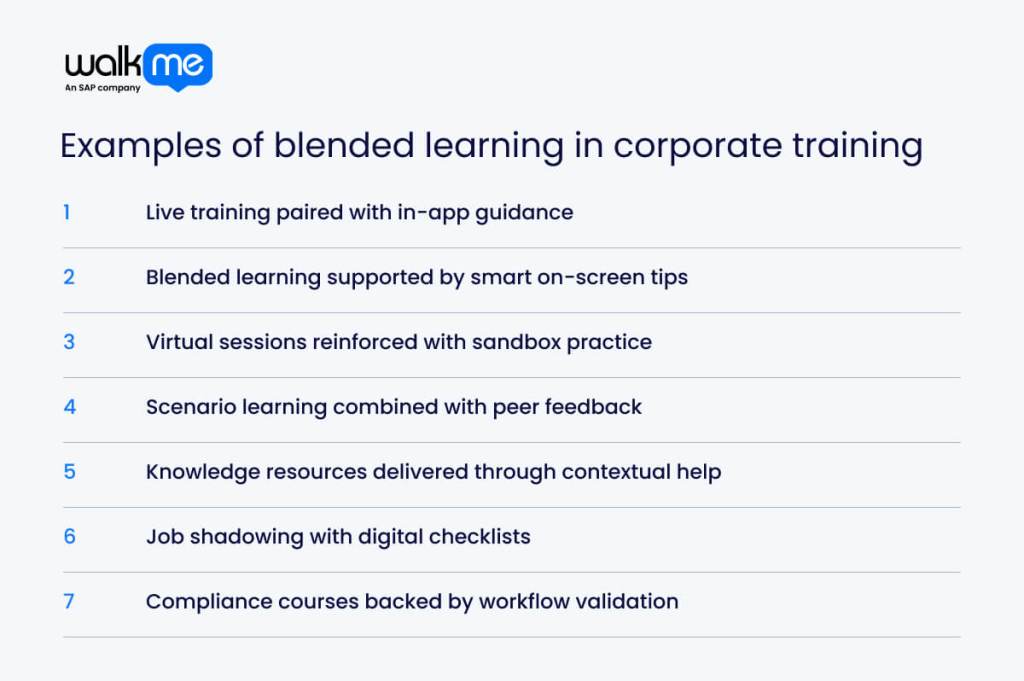
Understanding examples of blended learning in corporate environments offers a clearer view of how these models work in real settings. The following snapshots show how teams use a mix of formats to build skills with transparency:
- Live training paired with in-app guidance: Trainers run a hands-on session while contextual prompts appear inside the software, so participants practice directly and follow step-by-step cues when they return to work.
- Blended learning supported by smart on-screen tips: Tiny lessons pop up where the action is needed, including short prompts that remind users how to do a task in the app.
- Virtual sessions reinforced with sandbox practice: After a remote demo, learners access a safe replica of the system to try themselves, making mistakes harmless.
- Scenario learning combined with peer feedback: Small groups run through realistic problems and offer constructive tweaks, including reflection and improvement.
- Knowledge resources delivered through contextual help: Help menus surface only the information relevant to the current screen or task, cutting search time.
- Job shadowing with digital checklists: Observers follow an app-linked checklist during shadowing, capturing critical actions and repeatable habits as they watch.
- Compliance courses backed by workflow validation: Regulatory modules link to live workflow checks that confirm steps were completed before a transaction proceeds, creating verifiable compliance.
How to create a blended learning program
Creating a unique blended learning program that accounts for all aspects of delivery begins with understanding how each component fits together and how the overall structure will function once it’s in motion.
Here is how to create a blended learning program at work with real-world examples to make the process easier to act on.
| Step | What It Means | Real-World Example |
| Set clear training goals | Define what people need to do differently | A new CRM process is split into a short live walkthrough and in-app guidance for the exact workflow |
| Pick the right blended learning model | Choose a format that fits the need | A rotation model is used for a product launch, combining a digital module with a short in-person demo |
| Decide how training is delivered | Plan when and where learning happens | Core instructions happen live, with follow-up support built into the tool |
| Use the right learning tools | Embed support into daily work | Digital checklists and walkthroughs help learners practice after a virtual briefing |
| Measure training effectiveness | Check if learning improves performance | Completion rates are compared with real task usage in the system |
| Gather feedback and improve | Refine based on learner input | Feedback leads to clearer in-app tips during the task |
Set clear training goals
Start by deciding what people must be able to do confidently by the end of the program. Break that outcome into smaller actions so you can match each one to the right mix of live guidance and digital support. Clear targets keep the structure tight and prevent the blend from drifting into unnecessary content.
Pick the right blended learning model
Choose a structure that mirrors the pace and complexity of the task. Some goals need hands-on demonstrations, while others work best through digital bursts. Aligning the model with the skill you’re teaching keeps the experience practical and aligned with how people learn whilst working.
Decide how training will be delivered
Map out which moments require more explanation and which can sit inside short digital pieces. Think about where people will be, what they’ll have access to, and how much time they can give. This lets you shape a delivery plan that feels natural rather than forced.
Use the best tools for learning
Pick tools that help people act directly after learning something new. In-app cues and lightweight simulations work well because they anchor concepts in the environment where they’re used. The result is a smoother learning flow where attention stays high and every part of the blend feels connected.
Measure how well the training works
Track what learners complete, how they perform in the workflow, and where they hesitate. Compare the learning experience with task behaviour to see whether the blend is doing its job. Try to understand patterns early so you can sharpen the structure before issues arise.
Gather feedback and improve
Ask people what felt intuitive and what slowed them down. Small insights are a great way to reveal big opportunities that help refine the balance between live and digital support. Use that feedback to adjust pacing, tools, and formats so the program stays useful long after training is launched.
Shaping a blended learning strategy that keeps your organization moving
As you’ve read, blended learning is a great way to merge ideas, concepts, and processes to deliver one-of-a-kind training that essentially ticks all the boxes.
What most businesses tend to get wrong when implementing blended learning is failing to ensure it’s delivered in a way that is reflexive and suited to their employees’ needs. It’s important to remember that there’s no out-of-the-box solution, and the more you hone in on your exact requirements and priorities, the better the delivery will be.
This is easier said than done. One of the main pain points is deciding how each element should work together without overwhelming people or slowing down momentum.
Tackle this by mapping each touchpoint to a clear purpose and letting eLearning carry the load where it adds the most weight. Keep the structure light, trust your instincts about what people need, and shape a learning and development (L&D) strategy that feels natural.
FAQs
Create one learning flow and adapt only what genuinely needs local context. Keep eLearning modules identical across regions, then add small cultural or regulatory tweaks where required. Shared tools and the same in-app guidance help everyone follow the same steps, no matter where they work.
Give managers ready-made materials they can slot into existing touchpoints rather than asking them to run new sessions. Quick demos and built-in digital cues let them reinforce skills during normal conversations.
Look at the moments where learning meets daily activities and workload. Faster task completion and better tool usage reveal whether the blend is landing. When people apply lessons without hesitation, the results show up directly in the output.