
Salesforce–SAP integrations: Types, use cases & best practices

Salesforce SAP integrations break the cycle of software friction that slows teams down. When data is scattered across systems, people waste time digging, duplicating, and guessing.
Connecting Salesforce and SAP cuts through that chaos. It creates one clear source of truth your teams can actually trust, giving them real-time visibility into customers, inventory, financials, and everything in between.
This isn’t just another backend project. It is the moment your front office and back office finally speak the same language. Leaders get sharper insights. Teams move faster. Manual work stops people from owning their day. And the entire organization operates with the confidence that comes from seeing what’s really happening.
In this guide, we break down Salesforce SAP integrations – how they work, where they deliver the most significant impact, and what it takes to get them right – so you can build an integration strategy that actually keeps pace with your business.
What is a Salesforce–SAP integration?
A Salesforce–SAP integration connects Salesforce’s CRM platform with your SAP ERP or SAP S/4HANA back-office system so data can move seamlessly between sales, service, finance, and operations. With synchronized records such as accounts, orders, inventory, and billing, teams work from accurate, up-to-date information without re-entering data manually.
Customer-facing teams can access key SAP details directly inside Salesforce, including order status, delivery updates, and payment history. This improves service speed and accuracy by giving agents full context. Automated data exchange also reduces manual workload and eliminates error-prone duplication.
Leaders gain a unified, reliable view of business performance, making it easier to identify trends, guide decisions, and respond quickly to market changes. With all customer and order activity in one place, teams personalize interactions and deliver a smoother, more consistent customer experience.
Why is Salesforce SAP integration important?
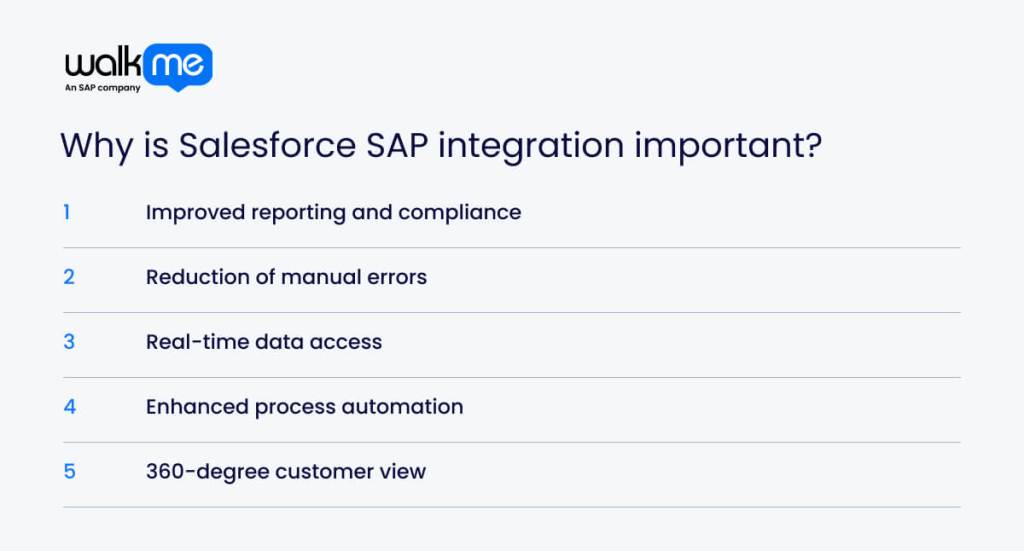
When you grasp the value of the Salesforce SAP integration, you realize how to stop making manual errors. Understanding this connection also helps you serve customers better and make data-driven decisions. Ultimately, knowing why this matters is the first step to staying ahead of your competition.
Here is why this type of integration is essential:
- Improved reporting and compliance: Your reports become more accurate and easier to create. Because the systems connect, you don’t have to copy data manually. This keeps you in compliance with regulations and avoids costly errors.
- Reduction of manual errors: Duplicate entry becomes a thing of the past. Since Salesforce and SAP automatically share data, your team makes fewer typos. This saves time and stops small mistakes from becoming big problems.
- Real-time data access: Fresh information is always ready when you need it. You don’t have to wait for updates to see what is happening right now. This allows you to make quick decisions.
- Enhanced process automation: Your systems handle the tedious, repetitive work for you. Tasks such as quotes and orders happen automatically, so your team can focus on bigger goals.
- 360-degree customer view: Every detail about your customer is in one spot with this type of system. This whole picture helps you treat customers better and maintain adaptability.
What are the types of Salesforce SAP integration?
You should learn the different ways to connect Salesforce and SAP so you can pick the best method. The right choice unifies your data, automates tasks, and boosts efficiency.
A comparison table also helps you review key factors such as use cases and complexity. This allows you to make a wise decision that fits your budget and goals.
| Integration Type | Complexity | Primary Use Case |
| API-based integration (REST/SOAP) | Medium | Real-time data exchange between Salesforce and SAP |
| Data replication (batch) | Low | Scheduled movement of large, non-urgent data sets |
| SAP Integration Suite | High | Complex enterprise workloads requiring advanced integration capabilities |
| Real-time access (on-demand) | Medium | Retrieving SAP data when needed without storing copies |
| Enterprise Service Bus (ESB) | High | Acting as a central hub to connect multiple complex systems |
| Custom integration flows | High | Meeting unique or highly specific business requirements |
| Middleware-based integration | Medium–High | Handling complex or high-volume real-time synchronization |
API-based integration (REST/SOAP)
API integrations connect Salesforce and SAP directly, exchanging data automatically via REST or SOAP. REST is lightweight; SOAP is more structured. This method delivers real-time accuracy for tasks like checking live prices or instantly creating orders.
Data replication (batch)
Batch replication transfers large volumes of data on a set schedule—hourly, daily, or otherwise. It is ideal for non-urgent information such as historical records or billing data. This approach reduces system load and helps stay within API limits.
SAP integration suite
SAP Integration Suite links SAP with external systems, such as Salesforce, via the cloud. It supports complex, high-volume needs, removes data silos, and replaces fragmented legacy connections with a scalable, centralized integration layer.
Real-time access (on-demand)
On-demand access pulls data directly from SAP when needed, without storing it in Salesforce. It is designed for frequently changing or large datasets, such as real-time inventory or pricing.
Enterprise service bus (ESB)
An ESB serves as a central hub between Salesforce, SAP, and other enterprise systems. It manages routing, governance, and change control, making it valuable for organizations with many interconnected applications.
Custom integration flows
Custom flows use APIs to manage specialized logic or compliance requirements. They support custom pricing, unique workflows, and scenarios where standard connectors do not fit.
Middleware-based integration
Middleware platforms sit between Salesforce and SAP to orchestrate data movement, transformations, and automations. They are suited for complex, high-volume integrations or environments with multiple connected systems, offering strong scalability and reliability.
What are Salesforce SAP integration use cases?

Salesforce–SAP integrations link customer-facing data with core operational systems, improving accuracy, reducing manual work, and giving leaders a unified view for better decision-making. Key use cases include:
Inventory and supply chain visibility
Sales teams gain real-time visibility into stock levels, order status, and delivery timelines without switching systems. Combining forecasts with SAP inventory data improves planning, quoting accuracy, and supply chain coordination.
Synchronizing customer and product master data
Consistent customer and product records across both platforms eliminate duplicate entries and outdated information. Teams access accurate specs and history instantly, reducing errors and saving time.
Invoice and contract management
Contracts, billing information, and procurement data flow seamlessly from SAP into Salesforce. Finance teams process invoices more efficiently, and sales teams retrieve agreements without having to search through separate systems.
Automating sales order creation
Closed Salesforce opportunities convert directly into SAP sales orders, eliminating manual entry. This accelerates fulfillment, increases accuracy, and frees reps to focus on selling.
Real-time pricing and service management
Sales and service teams pull current pricing, availability, and delivery data from SAP while working in Salesforce. This ensures accurate quotes, faster responses, and more confident customer interactions.
What steps can you take to implement a Salesforce SAP integration?
A successful Salesforce–SAP integration depends on a clear plan that prevents data issues and ensures a smooth rollout.
Connecting Salesforce customer data with SAP back-end systems increases accuracy, automation, and efficiency, while providing teams with better visibility and improving customer experiences. The steps below outline the essentials for implementation.
- Preparation and analysis
The process begins with a deep look at your current setup. You need to understand what data exists in both systems right now. This careful review helps you find potential issues before they cause trouble. A good analysis lays the groundwork for a more effective project and prevents costly mistakes later.
- Scope definition
It is essential to decide what this project will cover. You can review change management models to determine which business processes to change. Clear boundaries prevent the project from getting too big or expensive. This type of definition keeps everyone on the same page about what success looks like.
- System connection
Your technical team creates a secure bridge between Salesforce and SAP during this phase. They select the best tools to ensure the systems can communicate with each other. SAP security tools are essential for protecting information. This connection forms the digital highway along which your critical business data travels.
- Data mapping and transformation
Data often appears differently in Salesforce than in SAP. You have to match fields between the two systems very carefully. The information might need reformatting to fit correctly in its new home. This data mapping exercise ensures that names, dates, and numbers appear exactly how your users expect them to.
- Scheduling and triggers
You must decide when the data needs to move between the platforms. Some information should update instantly, while other records can wait for a daily batch. You can adopt triggers to tell the system exactly when to start a transfer. Proper timing keeps your data fresh without slowing down your software applications.
- Testing and validation
A safe environment is the best place to try out this new integration first. You need to run many tests to ensure error-free data transfers. Real-world scenarios, using SAP testing tools, confirm that business rules are functioning as intended. This validation phase gives you confidence that the system is ready for daily use.
- Deployment and monitoring
The final phase involves turning the system on for your actual users. You need to watch the data flow closely to catch any immediate issues. Continuous monitoring helps you track performance and quickly fix minor glitches. This ongoing attention ensures the integration continues to deliver value to your business over time.
What are the best practices you need to initiate Salesforce SAP integration?
Best practices for Salesforce SAP integration ensure data accuracy and process efficiency. These standards give your team a complete view of the customer while preventing errors and reducing costs. A reliable system also supports vital operations such as order processing and financial reporting.
These are the best practices you can take into account:
- Begin with clear business objectives and measurable KPIs: Start by knowing exactly what you want to achieve. It helps to pick specific numbers to track your success. This keeps the project on the right track and shows whether the integration is working.
- Adopt standardized APIs and connectors where possible: Your business should opt for standard SAP development tools and connections. These are usually easier to set up and fix than custom ones. They also tend to get better support when things go wrong.
- Ensure robust error handling, logging, and monitoring: You need a system that quickly identifies errors. Constant monitoring lets you fix minor issues before they become big problems.
- Prioritize data security and compliance: Data safety should be a top priority. You must follow all security rules and laws to protect your customers. Regular checks also ensure your information stays safe from threats.
- Plan for scalability and future system upgrades: Your system needs to be ready to grow with your company. It should handle more work as you get bigger, and planning makes future updates much easier.
- Maintain documentation and change management processes: It is crucial to write down how your system works. You should record any changes you make and why you made them. This helps your team understand the setup later on.
Seamless integration, better decisions: the Salesforce SAP advantage
The main goal of Salesforce SAP integration is to bring your front and back offices together. This creates one reliable source of data and makes your SAP digital transformation easier.
You need to choose the correct method for connecting these systems, whether that is real-time updates or batch processing. It is also vital to plan for errors from the very start. Constant monitoring allows you to spot and fix problems quickly.
Clear records of all changes help keep the system secure. You should also set strict rules for who owns the data and how to check its accuracy. Your teams must work together for this to succeed. For instance, SAP software training helps everyone follow the new process. It is often best to test the system with a few key tasks, such as orders, before rolling it out fully.
It’s also vital to measure success by tracking specific numbers. Factors, including order speed and customer satisfaction scores, will show you the actual value of your integration.
FAQs
You can connect Salesforce to SAP Business One using third‑party connectors, APIs, or custom solutions. This link lets the two systems share data and automate tasks. As a result, you get better workflows, less manual data entry, and one clear view of your customer and financial information.
A Salesforce SAP integration connects your sales data with your back‑office systems. It helps teams work faster, keeps data accurate, and improves the customer experience. By linking the two platforms, you can automate routine tasks and cut manual data entry. You also get insights that support intelligent decisions and business growth.
Connecting Salesforce with SAP can be hard. Teams must map data fields carefully and keep data in sync in real time. The systems also work in different ways, which creates technical gaps. There are other issues too: security and compliance risks, custom code to manage, high costs, and the need for experts to maintain the setup over time.
Salesforce can connect to SAP in a few ways. You can use APIs such as REST or SOAP. You can also use middleware, such as an iPaaS tool, a pre-built connector, or a custom integration. The best choice depends on the project’s complexity, your budget, and whether you need real-time or batch updates.